






































You can’t even remember whether your team uses one shared login for your company’s Instagram account. Do you pass the password back and forth via a top-secret note handed from person to person? Have you ever gotten locked out of an important account (or wondered if a previous employee still had access to your company’s email) and thought it was merely an annoyance? What those small frustrations represent is a significant gap in how we manage our digital keys.

Your online presence is similar to a house. Most people are essentially using a spare key hidden under the welcome mat, hoping that thieves won’t take a peek there. The professional alternative in cybersecurity is Identity and Access Management (IAM). IAM is nothing but “Digital Gatekeeping”—smart locks that ensure only authorized individuals gain entry to your home, while keeping unwanted strangers away from the jewels.
Using memory or spreadsheets creates bad habits that hackers exploit. Experts in cybersecurity regularly find that the vast majority of data breaches stem from weak or recycled passwords used across multiple websites. Your dependence on manual habits doesn’t save you time and effort by requiring you to reset logins—it opens up avenues for automated hacker search engines targeting your weaknesses.
While modern identity security may be expensive and beyond the reach of small businesses, and certainly isn’t meant for large corporations with dedicated IT teams, installing the right IAM tools can turn authentication from a hurdle into a seamless experience that also saves you time. The base foundations discussed here will provide you with a solid footing to protect your digital assets, without requiring a computer science degree.

Summary
“Complete & Secure Identity and Access Management Tools for Cybersecurity Guide” describes how IAM works as an intelligent system of digital locks to secure a company’s accounts by protecting them against some of the most common risks associated with identity management, namely, poor password practices, shared logins, and continuing access for former employees.
The guide divides IAM into its two essential components: authentication — proving who you are — and authorization — controlling what you can do — and uses a few examples to explain the benefits of providing each employee or user role-based access to prevent costly errors, and to limit the potential damage in the event of an account compromise.
The guide then outlines multi-factor authentication (MFA) as an important defense against automated attacks and reviews stronger forms of MFA, including biometric MFA and MFA resistant to phishing. In addition, the guide suggests automation of both the on-boarding process (i.e., when a new employee begins working at a company) and off-boarding process (i.e., when an employee leaves the company) as a method of eliminating “zombie accounts,” reducing insider risk, and enabling managers/leaders to have a central view of all of their employees’ accesses.
Following this discussion of MFA, the guide introduces the concept of a Zero Trust environment — i.e., verifying access on an ongoing basis, rather than trusting a user simply because they were able to successfully complete one successful login — and explains how standards such as SAML (Security Assertion Markup Language) and OAuth (Open Authorization) allow for the creation of Single Sign-On (SSO) systems that eliminate the need to share passwords.
Finally, the guide presents practical guidance for determining whether to use an open-source IAM platform or a managed IAM platform, and concludes with a brief checklist for admins to confirm which users have access to which resources, to enable MFA, and to eliminate any unnecessary access rights for users who no longer require access to certain resources. This sets the stage for future password-less security trends.
#Complete & Secure SOC 2 Compliance Checklist for Data Security
Identity and access management tools: Explore the best identity and access management tools used to secure user authentication and control system access

Modern cybersecurity depends greatly upon Identity and Access Management Tools. These tools verify who an authenticated user is and then strictly control what that user may do after signing in to their account. When performed correctly, Identity and Access Management tools help to reduce the number of Account Takeovers, limit Insider Risk, and create a framework for Teams to follow when enforcing Least Privilege Access to On-Prem and Cloud Systems.
To evaluate Identity and Access Management tools, you should look at the tools’ ability to perform Authentication (such as MFA, Passwordless, and adaptive risk checks), Authorization (Role-Based or Attribute-Based Access), and Lifecycle Controls (Joiner/Mover/Leaver Workflows). Strong Identity and Access Management tools will centrally manage Single Sign-On (SSO) Policies, integrate with both HR and IT Service System Tools, and produce Detailed Audit Logs for Compliance and Incident Response Purposes.
The majority of today’s Identity and Access Management tools support Zero Trust Principles. The reason is that most of these tools are designed to continuously check and confirm Trust Signals based on the User’s Device Posture, Location, and Unusual Behavior.
Identity and Access Management tools commonly used for Workforce Identity include Microsoft Entra ID (Azure AD), Okta, Ping Identity, and OneLogin. These tools are commonly used to provide a unified experience for Single Sign-On (SSO) and Multi-Factor Authentication (MFA) across multiple Software as a Service (SaaS) Applications, VPN Alternatives, and Internal Portals.
Tools commonly used for Customer-Faced Apps include Auth0 (Customer Identity), ForgeRock, and AWS Cognito. Tools such as Auth0, ForgeRock, or AWS Cognito provide Secure Login, Social Sign-In, and Scalable Identity Services to Developers. Additionally, these tools provide flexible APIs and Policy Controls for Developers to use within their development environment.
If your organization operates mostly in the Cloud, it would be wise to consider Identity and Access Management tools that support Strong Conditional Access and Integration with Cloud Permissions Management Tools to Reduce Misconfiguration.
Identity and Access Management (IAM) tools can be paired with Privileged Access Management (PAM) solutions such as Cyberark or BeyondTrust to store administrator passwords, periodically update or rotate them, and monitor high-risk administrator activity or sessions.
Additionally, Identity Governance and Administration (IGA) software such as Sailpoint and Saviynt can be used to automate the review of access to applications/resources, enforce Segregation of Duties (SoD), and ensure that access to resources aligns with users’ role/job responsibilities within an organization.
Ultimately, there isn’t a single best Identity and Access Management tool as it will depend on how well the system integrates into your existing infrastructure/applications/directories, makes it simple/easy to securely log in for end-users, and provides security teams with the ability to quickly monitor and respond to issues if an incident occurs.
As a practical starting point, deploy Single Sign-On (SSO) + Phishing-Resistant Multi-Factor Authentication (MFA), then expand to use PAM and IGA as you grow your access footprint.
Identity and access management IAM tools: Learn how identity and access management IAM tools strengthen cybersecurity by managing authentication and authorization processes.

The majority of all cybersecurity is Identity and Access Management IAM tools. IAM tools are responsible for allowing or denying an individual access to their application and the activities they can perform once logged in. Organizations can reduce breach risk by using Identity and Access Management tools to limit the time and paths an attacker has to move laterally within an environment and to ensure that access policies are implemented consistently across all cloud applications, on-premises environments, and remote workers. By using Identity and Access Management IAM tools, organizations can replace multiple log-in credentials and non-enforceable permission settings with clearly defined and enforced policies.
Identity and Access Management IAM tools primarily manage three different types of processes: authentication (the process of proving your identity), authorization (the process of granting you the correct access), and single sign-on (SSO) (which provides the ability to log in to many applications with one set of credentials).
Modern Identity and Access Management IAM tools have several additional features, such as multi-factor authentication (MFA), device and location-based access, and risk-based control. Risk-based control will increase the level of MFA required if the system detects anything unusual. In addition to these features, many Identity and Access Management IAM tools offer password-less options, including passkeys and biometric-based authenticators, both of which can assist in preventing phishing attacks and reducing the number of stolen credentials.
Good Identity and Access Management IAM tools will also provide a standardized SSO experience, enabling end-users to easily access authorized applications while providing Security Teams a centralized place to enforce policy.
On the Authorization Side, Identity and Access Management IAM Tools implement Least Privilege through User Role, Group, Attribute Mapping, and Job Function Context-Based Access Rules.
IAM Tools can Automate Provisioning & Deprovisioning, so that Users receive access quickly upon joining a Team and have it removed immediately when leaving. Often, this Automation ties Identity and Access Management Tools to Human Resource Systems and IT Ticketing Systems, which helps reduce “Orphaned” Accounts and Over-Priced/Over-Privileged Access. To Protect Sensitive Administrator Credentials and Sessions, many organizations tie Identity and Access Management IAM tools to Privileged Access Management (PAM) and Secrets Controls.
Identity and Access Management IAM tools also assist in strengthening Governance and Incident Response capabilities by providing Audit Trails, Login Analytics, Anomaly Alerts such as Impossible Travel, repeated MFA Failures, and unusual access requests. When selecting an Identity and Access Management Tools, look for strong Integrations, Clear Policy Management, phishing-resistant MFA, Detailed Logging, and reliable lifecycle automation – because Secure Authentication and Consistent Authorization are what turn identity into a True Security Control.
#Advanced & Secure HIPAA Cybersecurity for Healthcare Organizations
IAM solutions: Explore advanced IAM solutions designed to protect digital identities and prevent unauthorized access across enterprise systems.

Identity and access management tools protect digital identities at scale & are built to support constantly changing users, devices, apps, and APIs.
The best IAM solutions reduce account takeover risk & prevent unauthorized access by using Identity as the control plane for enterprise security — tying every login & permission to clear policy, strong verification, & continuous monitoring.
In practice, Identity and access management tools provide organizations with one place to manage how people (and services) authenticate & what they’re allowed to do.
Typical advanced IAM solutions combine single sign-on (SSO), multi-factor authentication (MFA), & adaptive access policies; meaning that Identity and access management tools can require stronger checks when risk is higher — such as new devices, unusual locations, or suspicious behavior — while keeping low-risk access smooth.
Many IAM solutions now support phishing-resistant methods like passkeys & FIDO2 security keys to help replace passwords that are easy to steal or reuse.
Authorization is where IAM solutions make a major difference across enterprise systems; mature platforms enforce least privilege through role-based & attribute-based access controls, plus just-in-time access for sensitive tasks.
With strong lifecycle automation, Identity and access management tools can provision access when employees join, adjust access when they change roles, & remove access immediately when they leave — reducing dormant accounts & “permission creep.”
Standards like SAML/OIDC for login & SCIM for provisioning help IAM solutions integrate across saas, on-prem directories, & cloud services.
Many IAM Solutions have added integration with Privileged Access Management (PAM) to Vault Admin Credentials, Rotate Secrets, and Record Privileged Sessions to Protect High-Impact Accounts. In addition, Many Identity and Access Management Tools are designed for Governance; they provide support for Access Reviews, Separation of Duties, and Audit Ready Reporting. All of these will be important in helping your organization understand who is accessing which resources and meet Compliance Obligations.
Finally, Top-of-the-line IAM Solutions include Features that enable you to detect threats to your Enterprise’s Identity and automatically respond to those threats by analyzing Logs and Analytics for Anomalies (e.g., Impossible Travel, Unusual Consent Grants, Abnormal Privilege Changes). Using Strong Authentication, Precise Authorization, and Continuous Oversight, Identity and Access Management Solutions enable organizations to limit Unauthorized Access while continuing to do business.
User access management: Understand how user access management systems help organizations control permissions and secure sensitive resources

User Access Management is the discipline of identifying, granting, auditing, and revoking access privileges that enable individuals to perform their work-related duties while protecting sensitive data. The use of strong User Access Management decreases the likelihood of breaches by implementing Least Privilege, stopping “Permission Creep”, and enabling rapid adjustment to changing roles. Most organizations utilize Identity and Access Management tools as the platform to manage these processes across all cloud applications, company-wide systems, and shared resources.
In essence, User Access Management answers two basic questions: “Who is this user?” and “What can he/she access?” Where authentication validates an individual’s identity, User Access Management defines access by assigning permissions through defined roles, groups, and policies that define each user’s functional responsibilities. Modern Identity and Access Management Tools offer Role-Based Access Control (RBAC) and Attribute-Based Access Control (ABAC) in more complex environments, where attributes such as Department, Device Trust, and Location may be used to define access parameters.
Automation is among the top advantages of implementing mature User Access Management; by employing Lifecycle Workflows, access can be granted on Day One, modified as a user changes departments, and revoked when employment ceases. It’s here that Identity and Access Management tools typically tie into Human Resources systems and IT Ticketing to minimize errors caused by manual intervention and eliminate “orphan” accounts. Contractors and Temporary Projects may also use User Access Management to implement Time-Bound Access and Approval-Based Access Requests.
To protect high-value Systems, User Access Management must extend to Privileged Accounts and Administrative Actions. Organizations commonly use Identity and Access Management (IAM) tools in conjunction with Privileged Access Management (PAM) to regulate Elevated Permissions, Rotate Credentials, and Document Sensitive Sessions. Layering these two concepts creates barriers to contain damage when a Standard Account becomes compromised and makes it more difficult for attackers to Escalate Privileges.
Both Governance and Visibility are critical. In addition to Periodic Access Reviews, Separation of Duties, and Detailed Audit Trails, effective User Access Management enables Teams to demonstrate Compliance and rapidly Investigate Suspicious Activity. When Identity and Access Management Tools provide a Centralized Source for Policies and Reporting, Security Teams obtain a Clearer Picture of Who Has Access to What—And Can Rapidly Remove Risky Permissions Before They Become an Incident.
Identity security: Identity security focuses on protecting digital identities and ensuring only authorized users can access sensitive systems and data

Identity Security protects digital identities – employees, contractors, partners, customers, and service accounts – to limit access to sensitive systems and data to only the authorized entities. Most attackers begin by using stolen or improperly used credentials, so Identity Security has become a primary control to stop breaches early in their lifecycle.
Strong identity security begins with verifying identity through authentication at sign-on, and then continues to reduce the risk of each identity session. Authentication examples include Multi-Factor Authentication (MFA), phishing-resistant MFA such as PassKeys and Security Keys, and Adaptive Policies which react to potential threat indicators (i.e., new device, impossible travel, unusual behavior). Many organizations depend upon Identity and Access Management tools to provide this type of protection across all Cloud Applications, on-prem systems, and Remote Access.
Authorization is the next level of Identity Security – ensuring only authorized identities have access to what they require. Identity Security is further enhanced when permissions are established on Least Privilege, Clear Roles, and Time-Limited Access for High-Risk Tasks. Modern Identity and Access Management tools will assist organizations in managing identities, establishing centralized role and policy definitions, automating provisioning/de-provisioning, and minimizing “Permission Creep” when personnel job changes occur. The end result is transforming access controls from a series of one-time decisions to a managed lifecycle.
Privilege access is an Identity Security key area of focus since Administrator rights could give an attacker a foothold in your entire environment. The pairing of Identity and Access Management tools with Privilege Controls (Credential Vaulting, Session Monitoring, Just-In-Time Elevation, and Secret Rotation), limits the ability of an attacker to exploit a compromised Standard User Account.
Visibility and Governance are the remaining pieces of the puzzle. A successful Identity Security implementation will include the ability to generate detailed Audit Logs, conduct regular Access Reviews, and trigger alerts when Anomalies occur (e.g., unexpected Privilege Changes or Unusual Sign-in Patterns). As well as providing Centralized Reporting capabilities, Identity and Access Management tools will also assist in demonstrating Compliance and responding quickly in the event of a Security Incident.
At its core, Identity Security is about transforming Identity into a Reliable Security Boundary. When Authentication is Strong, Permissions are Minimal, and Activity is monitored, Identity and Access Management Tools will help ensure that Authorized Access remains authorized and Unauthorized Access is Stopped Early.
Identity and access management security tools: Explore identity and access management security tools that help organizations safeguard digital identities and maintain cybersecurity compliance.

Identity and Access Management Security Tools Protect Accounts, Control Access to Important Systems, and Meet Compliance Requirements by Enforcing Consistent Identity Policies Across All Workplaces. Identity and Access Management Security Tools Reduce the Risk of a Breach by Strengthening Sign-In Controls, Restricting Permissions, and Creating Audit-Ready Records to Investigate and Report on Breaches.
In addition, Identity and Access Management Security Tools can be implemented as the Central Control Point to Determine Who Can Access Which Applications and Administrative Functions.
One of the Key Capabilities of Identity and Access Management Security Tools is Strong Authentication Through Multi-Factor Authentication (MFA), Phishing-Resistant Methods (Like Passkeys or Security Keys), and Adaptive Access Policies That React to Signals of Risk Such As New Devices, and Unusual Login Behavior.
Many Teams Standardize These Controls Through Identity and Access Management Security Tools So That They Are Applied Consistently Across All SaaS Platforms, On-Prem Resources, and Cloud-Based Systems.
Just as Important, Identity and Access Management Security Tools Strengthen Authorization By Enforcing Least Privilege, Providing Role-Based Access Control (RBAC) and Attribute-Based Access Control (ABAC) to Ensure Users Only Receive Permissions Needed for Their Roles.
Lifecycle Automation Provides a Major Compliance Win: Identity and Access Management Tools Provide Access Provisioning When Someone Joins, Adjust It When They Change Roles, and Remove It Immediately When They Leave; Reducing Orphaned Accounts and “Permission Creep”.
For High-Risk Access, Identity and Access Management Security Tools Often Integrate With Privileged Access Management (PAM) to Vault Administrator Credentials, Rotate Secrets, Approve Elevated Requests, and Record Sessions That Contain Sensitive Information. This Is Especially Valuable For Audits Because It Shows Not Just That Controls Exist But Also That Privileged Actions Are Governed and Traceable — an Expectation in Many Frameworks.
To support cybersecurity compliance, Identity and access management security tools provide centralized logging, access reviews, and reporting that map to requirements in standards and regulations such as SOC 2, ISO 27001, PCI DSS, HIPAA, and GDPR. With Identity and access management tools consolidating policies and evidence, organizations can demonstrate control over access, respond faster to incidents, and maintain ongoing compliance rather than scrambling at audit time. Identity and access management security tools ultimately turn identity into a measurable, enforceable security boundary.
Authentication solutions: Discover authentication solutions that enhance security through multi-factor authentication and identity verification.

Modern Authentication is used by organizations to verify that a user has successfully authenticated to access applications, networks, or sensitive information. As part of an organization’s Identity and Access Management (IAM) solution, Authentication protects users from unauthorized login attempts and supports Zero Trust Access (ZTA) across cloud and on-premises environments.
One common feature within many Authentication solutions is Multi-Factor Authentication (MFA). Traditional Authentication solutions use passwords to verify users; however, MFA requires users to provide a second form of proof, in addition to their password, to access their accounts. The second form of proof may be generated via an Authenticator App Prompt, Hardware Security Key, or Biometric Check. Additionally, some Authentication solutions offer Step-Up Authentication (SUA), which requires additional verification from the user under higher-risk conditions (e.g., accessing an administrative function on a new device at a different location).
By centralizing the policies associated with each form of Authentication within Identity and Access Management tools, organizations can ensure consistent policy enforcement across all business-critical systems.
In addition to MFA, Advanced Authentication Solutions also provides identity verification and Risk-Based Access (RBA). RBA may be implemented through several methods, including Device Posture Checks, IP Reputation Analysis, Impossible Travel Detection, and Behavioral Signals, to identify suspicious activities earlier than other forms of Authentication.
Many Authentication Solutions today also utilize phishing-resistant methods (PassKeys/FIDO2/WebAuthn) and/or Security Keys to make it much more difficult for attackers to obtain reusable credentials. Organizations will typically enforce and monitor the implementation of these capabilities using Identity and Access Management tools that manage Sign-In Policies, User Enrollment, and Recovery Flows.
Organizations can maximize the benefits of implementing Authentication solutions by providing a clear, simple enrollment process, adequate backup options, and recovery processes, while maintaining a high level of control for administrators. It is equally important to maintain logging and monitoring of all authentication-related events and integrate them into your existing Security Information Event Management (SIEM) system.
Establish alerts for repeated failed login attempts and periodically review sign-in anomaly logs to detect potential security breaches. Finally, pairing Authentication solutions with Least Privileged Access and Lifecycle Automation in Identity and Access Management tools will further minimize the impact if an account becomes compromised. By combining MFA, Phishing-Resistant Verification, and Continuous Risk Assessments, Identity and Access Management Tools can effectively transform Authentication into a reliable First Line of Defense.
Keys vs. Clearances: Why Proving Who You Are Is Only Half the Battle
Think of digital security as checking into a hotel. You provide identification at the front desk to receive a key card, which serves as authentication. This shows that you are the one you claim to be. However, that key card does not unlock all doors in the hotel. For example, that key card will allow you to enter your room and the gym, but not the penthouse or the manager’s office. In other words, that key card authorizes certain actions within the hotel.
However, in small businesses, many organizations fail to differentiate between the two processes (Authentication and Authorization), creating unnecessary risk. You may trust your social media manager completely, but there is no reason they should have the authority to transfer funds from your company’s bank account simply to post on Instagram. Therefore, many security professionals advocate for developing granular role-based access control policies. Simply stated, instead of creating customized permission levels for each employee, you can create roles (e.g., “Editor”, “Billing”) and let the systems limit access based on those roles.
Together, these concepts help protect your data.
| Feature | The question it asks | The “hotel” equivalent | | — | — | — | | Authentication | Who are you? | Providing identification at the front desk. | | Authorization | What are you allowed to do? | Your key card allows you to enter your room, but not the safe. |
User Access Management protects your data from unauthorized access by preventing accidental deletion of customer information when a new employee is assigned “Admin” status. Identity and Access Management Tools provide comprehensive solutions that automate both steps (Authentication and Authorization) to ensure users only have the appropriate access to your organization’s resources. Ultimately, even with the best permission structures in place, unauthorized individuals can gain access to restricted areas if they obtain the login credentials.
The Two-Step Handshake: Using MFA to Block 99.9% of Account Takeovers
Imagine a burglar trying the same lock on each house on a street until he finds one that will open. Hackers also work with automated “bots” to test millions of stolen user IDs on thousands of different websites at once, in hopes that you may have used the same ID to access both your Netflix account and your business e-mail account. Credential stuffing attacks are a significant threat to your organization, and preventing them is essential to stop bot attacks by ensuring IAM (Identity & Access Management) tools recognize that a password alone is never sufficient proof of who you are.
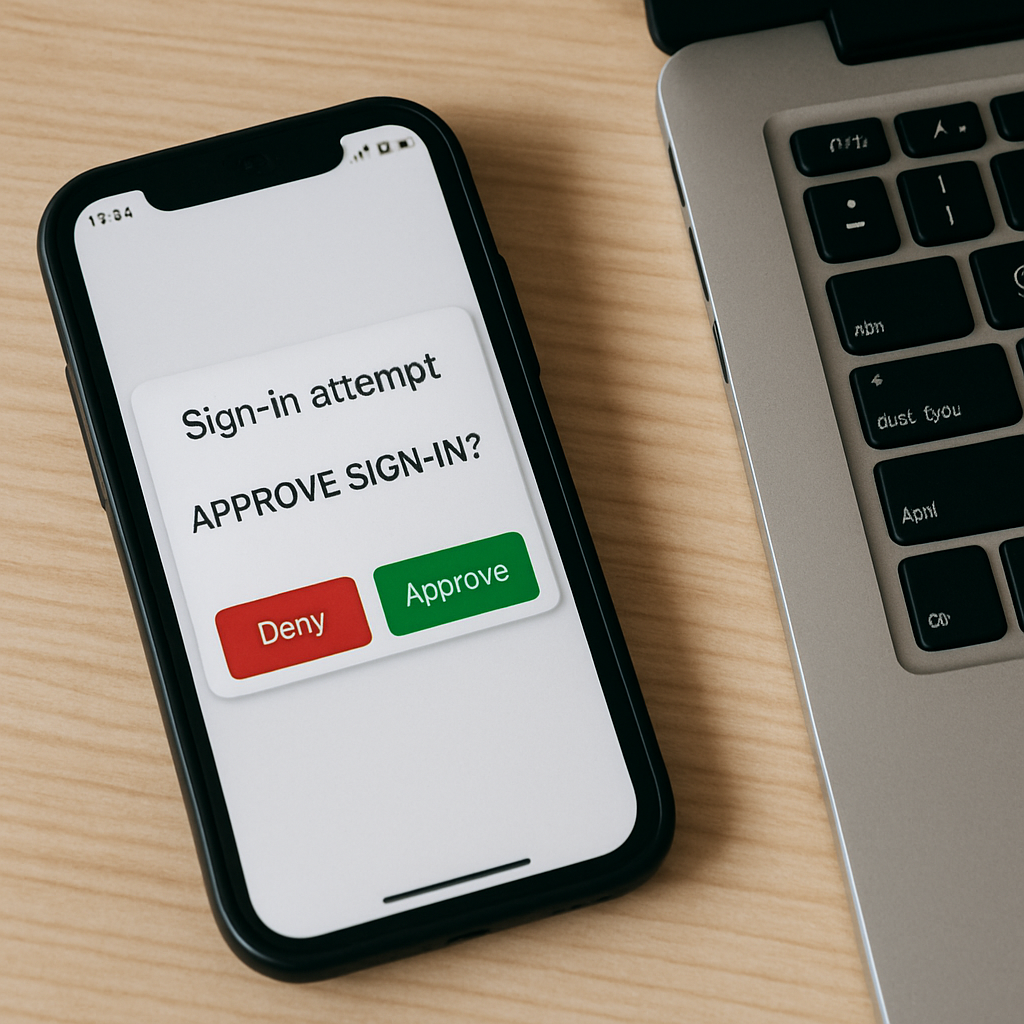
In addition to preventing credential stuffing attacks, MFA (Multi-Factor Authentication) provides a second layer of protection for your digital assets. Think of MFA like using an ATM. Even though a hacker has stolen your debit card (something you have), they cannot withdraw money from your account without entering your PIN number (something you know).
Modern authentication technologies provide similar protection for your online accounts, providing a second layer of protection so that even if a hacker purchases your login information on the dark web, they will still not be able to access your online accounts since they do not have your smartphone (something you have) to authenticate your access to your online accounts.
However, not all verification methods are created equally. Receiving a code via SMS (text message) is better than nothing, but it can be intercepted by sophisticated attackers. A more secure and less frustrating alternative is to evaluate biometric authentication options versus traditional passwords. The use of fingerprint or facial recognition technology is much harder for an attacker to fake than a six-digit code sent via SMS, and it reduces the friction involved in authenticating yourself to access a file.
Finally, while you may have effectively secured each entry point to your systems, the next challenge is how to manage those keys securely for an ever-growing team without hindering their productivity. Creating individual accounts and configuring security settings for every new employee creates a bottleneck in the hiring process, frustrates employees, and leaves the company vulnerable when employees leave.
Eliminate Manual Onboarding: How Automation Prevents Ghost Users and Data Leaks
Hiring new employees and getting them set up on email, file storage, and project management apps usually means a time-consuming and boring afternoon spent manually setting up individual logins. The process of terminating employees is where the real risk lies, though. If you fail to revoke a departing employee’s login access to even one application, you will have created a “Zombie Account,” an active, unmonitored login account that can be used by a former employee (or a hacker using their old credentials) to quietly re-enter your company.
By automating user provisioning and de-provisioning, you eliminate opportunities for human error by connecting your employee directory directly to your applications. Instead of managing 10 different user lists, you can create a digital identity for each employee in a central location. The identity management system then automatically grants access to the appropriate tools based on the employee’s job title and, most importantly, immediately disables all login privileges when their status in your HR records is changed to “terminated.”
Speed is critical if an employee is fired under negative circumstances. A timely response to prevent insider threats depends on the availability of least privilege access and cannot be delayed for days while waiting for a help desk to attend to a ticket. The additional benefits of a real-time, centralized identity management dashboard include viewing, at a glance, who has access to sensitive data, eliminating guesswork, and providing a verifiable audit trail.
Here is how you can automate your offboarding process:
1. Link your HR or payroll system to your identity management tool.
2. Establish access rights based on groups (i.e., “marketing”) instead of on individual employees.
3. Set up “kill switches” so that when a terminated employee’s status is changed, all related login accounts are disabled.
4. Schedule automatic quarterly review to find and terminate inactive user accounts.
Even with these automated safeguards in place, today’s security standards require verification of every request — not just the first time a user logs in to the application.
The ‘No Exceptions’ Security Rule: Why Zero Trust Is Your Best Defense
In several ways, the concept of digital security was modeled on a medieval castle. Once you cross the drawbridge (enter your password), you have access to everything within the castle. Unfortunately, this does not represent how security works today. In today’s world, if a hacker can get hold of just one key (password), he/she will basically control the whole castle. The majority of the industry has responded to this problem by adopting Zero Trust Security Frameworks, an entirely new way of doing business.
A Zero Trust Security Framework takes away all assumptions about users. Unlike traditional security models, a Zero Trust Security Framework assumes that hackers are already inside your “walls”. In addition, instead of giving a user carte blanche (unlimited access) after the first successful login, the Zero Trust Security Framework mandates that identity be verified again when attempting to access any resource in your environment. Think of this new paradigm as a Hotel Key Card System vs. a House Key. As long as a guest checks in at the Front Desk, there is no reason for their Hotel Key Card to grant them access to the Boiler Room, Kitchen, or other guests’ rooms.
Hackers operate using “Lateral Movement”, i.e., hacking into the Lobby and then going to every door in the Hallway to see which one is unlocked. When you lock down specific resources to what is strictly necessary, you protect your company from having a compromised Reception Computer, allowing a Hacker to also gain access to your company’s bank account.
The current Identity and Access Management solutions (IAM) enable the automated checking of identities (and access rights) in such a manner that legitimate operations are not slowed down.
These IAM systems check the User’s context, including location and device type, before granting the required permissions to perform a particular function. If an Accountant attempts to download Client Lists at 3 am from a device that has never been used at that time and/or from that location, the IAM will recognize the Anomaly and pause to request additional Verification. With the increasing focus on Identity Security, the Identity Check moves with the User, thus protecting Data whether the User is at the Office or a Coffee Shop.
However, this new paradigm of Continuous Verification of Users and their access rights requires that the different Software Systems, e.g., Email Server, File Server, etc., communicate securely to immediately authenticate the User’s Credentials. However, the Industry cannot require a User to repeatedly enter a Password fifty times a day to authenticate their Credentials. Therefore, the Industry has developed Standardized “Handshakes” that take place in the background, invisible to the User.
SAML and OAuth Explained: How Your Apps Talk Behind the Scenes to Keep You Safe
Just think about how nice it would be if all the cities you visited during your trip didn’t require different visas. In much the same way, the necessity of having unique usernames for your email client, Zoom, and Slack creates the same problem. Single Sign-On (SSO) is a digital version of a traveler’s visa, which allows you to enter a digital “border” where you provide your identification (usually through a major provider such as Google or Microsoft) and then can move freely among other applications without being asked to show your identification at each application.
As a result of the above, there is no real physical interaction behind the scenes of this process; however, it does involve invisible communication between your applications. For example, when you click the “Log in with Facebook” button on a new website you’re visiting, you’re not providing that new website with your password; instead, you’re giving them a “valet key” that will open the door for you, but won’t turn the engine on. The OAuth 2.0 and SAML protocols both function similarly, by securely passing a “token” that indicates to the receiving party, “yes, this person has been granted permission,” while simultaneously keeping your original “master password” safe and hidden from the receiving party.
Using modern Identity and Access Management tools to create these types of connections also provides organizations with important advantages over simply using SSO for convenience:
• No More Password Post-it Notes: Employees no longer have to write down their complex passwords because they only have to remember one strong set of credentials.
• Dynamic Access Deactivation: When an employee is terminated, you can immediately remove their access to all applications by deactivating their single-user account.
• Less Opportunity for Phishing Attacks: Since employees are logging into fewer applications, there are fewer chances for employees to unknowingly provide credentials to a phishing site.
Although SSO can perform some magic for modern applications, many organizations face challenges with integrating newer web-based tools into older office software. To address these issues, organizations must use Identity Governance to ensure that legacy systems within the hybrid cloud environment respond to the single digital passport and do not create security vulnerabilities. Now that we understand how these systems communicate with each other, the next logical step is to identify the appropriate software to facilitate this communication.
Choosing Your Shield: Finding the Best IAM Tool for Your Business Size and Budget
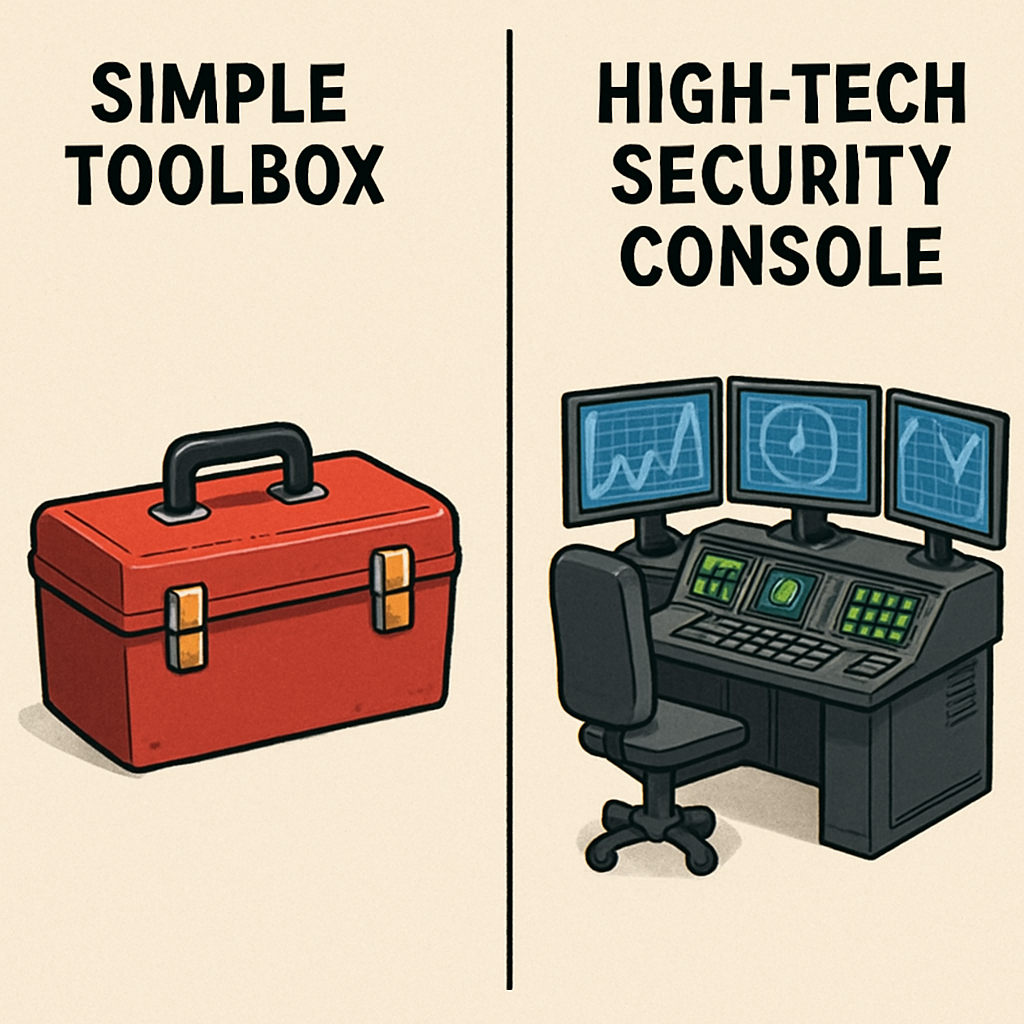
When we compare “managed” (enterprise) vs “un-managed” (free/open source), we see how “managed” helps to eliminate the potential risks associated with the “un-managed”. Think of the un-managed software as a kit car. The un-managed software gives you all the parts, but you still need a skilled mechanic (in this case, a security engineer) to put them together and maintain/repair the system. And if you don’t have someone with those skills on staff, then what were you really saving? Because while you may save some money up front, you will likely spend it elsewhere (billable hours), troubleshooting server issues, and applying patches, etc.
The managed (enterprise) model flips this around by charging a monthly fee for the heavy lifting to be done for you. The managed (enterprise) model provides a platform that acts as your digital landlord, so to speak, providing the plumbing, updating the locks, meeting complex regulatory compliance requirements for digital identity management, etc., without requiring a law degree. Generally speaking, this type of model is better suited to growing businesses since it allows the business to offload the burdens of uptime and security updates to a third-party entity with more resources, freeing the business to concentrate on its customers rather than its logon screen.
Ultimately, your choice of model will depend on whether you have more budget flexibility or more time to invest in developing your technical capabilities. Regardless, identifying the appropriate model requires an honest evaluation of your current size and scope, and where you anticipate being in two years, so you can avoid a mess down the road. Once you determine which model fits your reality, you can then begin executing your plan, using a structured approach to get things going.
Your IAM Launchpad: A 5-Step Checklist to Secure Your Organization Today
To make the transition from having passwords written on sticky notes to a secure system, you do not have to earn an IT degree. The idea of security is to stop thinking of it as that scary barrier and think of it as a useful digital gatekeeper. This Complete & Secure Identity and Access Management Tools for Cybersecurity Guide puts the keys back in your hands (literally) so you know exactly who is entering your virtual front door.
You do not have to revamp your entire digital world at one time. Simply start with our easy-to-use 15-minute audit guide for Privileged Access Management, and you’ll see instant results:
• Check the Admins: Look at who has admin rights to your primary email or bank. Take away their admin rights if they do not need them.
• Activate MFA: Activate two-factor authentication for your three most important accounts immediately.
• Kill the Zombies: Close old employee accounts and subscription services you no longer utilize.
After you’ve established those basic concepts, you’re ready for what’s coming. Trends in future passwordless authentication technologies, such as Passkeys and Biometric Technology, are rapidly making typed passwords obsolete. In the near future, your face and/or fingerprint will be all the key you need to enter your digital world, enabling a smooth user experience with security handled automatically in the background.
Security is not about building a wall so tight that you can never get through; it is about installing smart locks that allow you to work freely. By taking the first few small steps today, you are not only protecting your data but also regaining your peace of mind.
Conclusion
Identity and Access Management (IAM) is more than just an update to IT – it is a foundational component of everyday Cybersecurity activities. When you treat identities as digital keys, you begin to break reliance on shared passwords, spreadsheets, and “we will fix it later” habits that hackers exploit. Order and clarity in access come when strong IAM practices are put in place to separate authentication (the verification of who someone is) from authorization (what that person can do), allowing users to access the correct information while minimizing exposure to your most critical systems.
Perhaps the best and easiest improvements to implement are those based on solid fundamentals, including turning on MFA for the most critical accounts, implementing Role-Based Permissions to ensure Least Privilege, and implementing automation for On-Boarding and Off-Boarding to remove Zombie Accounts.
The combination of these fundamental processes, paired with a Zero Trust approach to identity verification (continuously verifying access throughout the session, not just at log-in), reduces the potential damage caused by stolen or compromised credentials. Standards such as SAML and OAuth enable Single Sign-On and Secure App Connections, allowing companies to eliminate the distribution of credentials across various tools and applications.
You do not have to overhaul every process and procedure overnight. Begin with the most at-risk areas, tighten up access control there first, and work towards passwordless, automated identity security processes to protect your business as it grows.
FAQs
1) What is Identity and Access Management (IAM)?
IAM controls which users can log into your systems and what actions those users can perform within those systems. The purpose of controlling user access to your systems is to provide an additional layer of protection against unauthorized access and to maintain uniformity across all applications and devices in how user rights and permissions are managed.
2) What’s the difference between authentication and authorization?
Authentication verifies that you are who you claim to be (such as using a password and Multi-Factor Authentication (MFA)). Once authenticated, authorization verifies what actions you are permitted to take within the system (for example, viewing documents, editing data, etc., and accessing administrative features).
3) Why is MFA so important for cybersecurity?
Multi-Factor Authentication provides an additional layer of security by requiring two forms of identification to verify your identity. If a hacker gains access to a single form of identification (a password), it will still be difficult to access the system, since a second layer of identification is required.
4) What are “zombie accounts,” and why are they risky?
Zombie Accounts are active user accounts that remain active even though the employee has left the organization or changed job functions. Zombie Accounts create “back doors” into the organization’s systems that hackers and/or former employees can use to gain access and potentially steal sensitive information.
5) How does Zero Trust relate to IAM?
Zero Trust is based on “never trust, always verify”—IAM helps organizations implement Zero Trust by continuously verifying user identity, user devices, and user environment before granting access, rather than simply accepting an initial login as proof of identity.
6) What is Single Sign-On (SSO), and is it secure?
Single Sign-On (SSO) allows users to enter their credentials once and access multiple applications without reentering their username and/or password. SSO can be highly secure when used in conjunction with Multi-Factor Authentication (MFA) and when implemented using open standards such as SAML (Security Assertion Markup Language) or OAuth, since it eliminates password reuse across multiple applications and provides a centralized point for access management.
7) Should a small business use open-source IAM or a managed provider?
Open-Source Identity Management (IAM) can provide tremendous value; however, it typically requires internal resources to design, build, deploy, and maintain the infrastructure. In contrast, managed IAM services are generally more expensive initially; however, they offer significantly quicker deployment times, better default security settings, regular software patches and upgrades, and greater ease in meeting regulatory requirements and obtaining certifications.