





































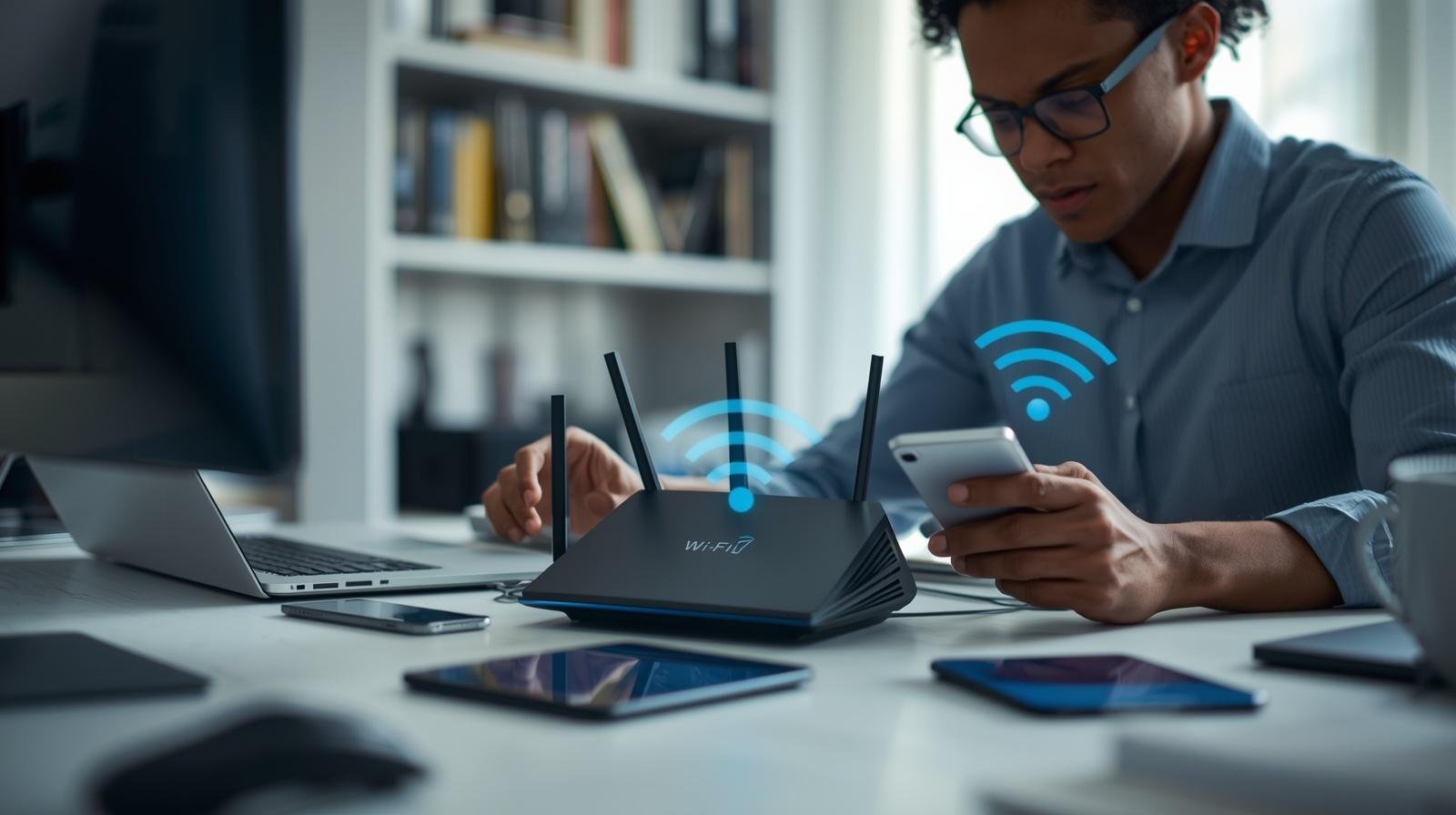

Wi-Fi 7 is finally on its way — and it could be the biggest leap forward that wireless has ever seen.

Wi-Fi 7 is expected to offer fast speeds along with unprecedented reliability. With Wi-Fi 7, you’ll never have to worry about buffering or losing signal when watching 8K video.
The Wi-Fi 7 router is designed with the future in mind. As there will be even more connected devices than before (smart home and IoT), they will all need to work together seamlessly.
Multi-Link operation is a Wi-Fi 7 feature that ensures seamless connectivity. This is great news for gamers and those looking at Virtual Reality.
Ultimately, the right choice in a Wi-Fi 7 router will help protect you against obsolescence. Don’t let yourself get left behind by staying ahead with this latest advancement in connecting to the internet.
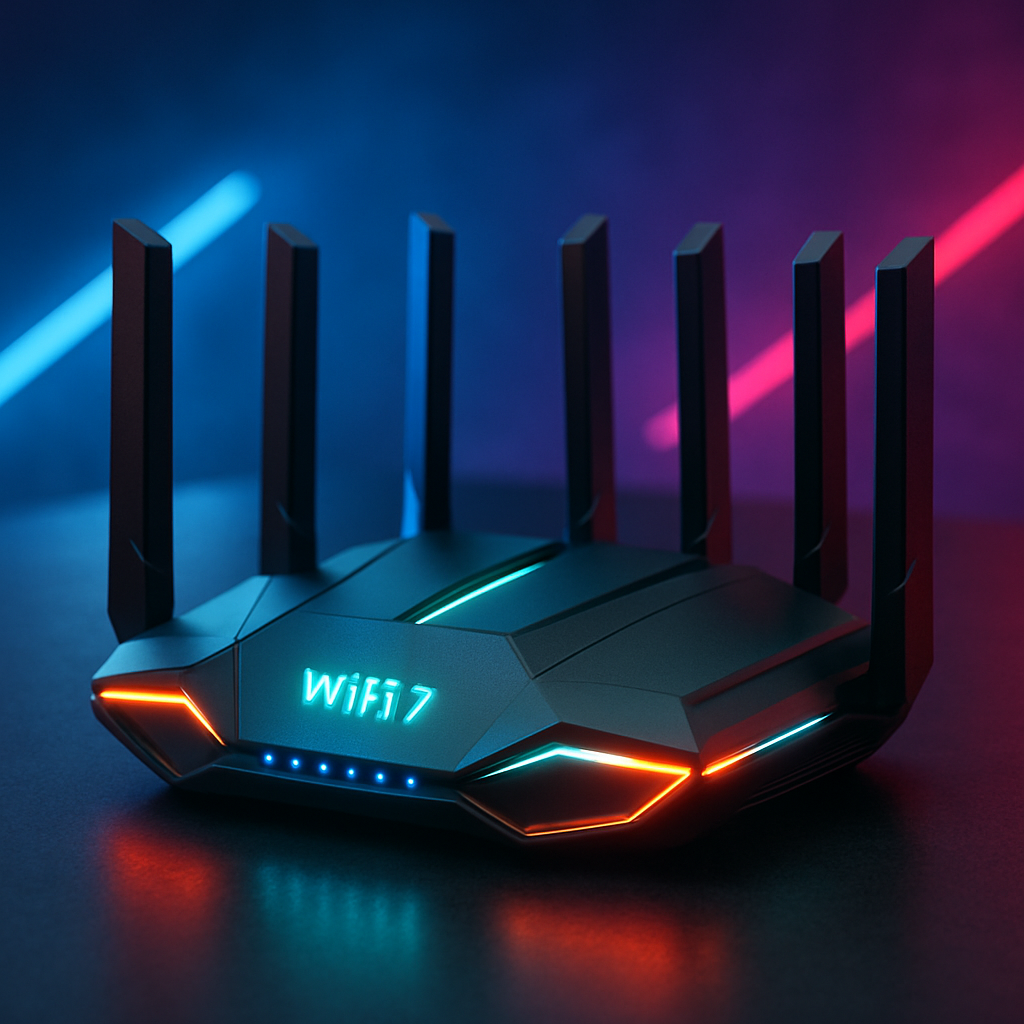
Summary
Wi-Fi 7 routers are a massive step forward for wireless networks, providing much faster speeds, lower latency, and more reliable connectivity for both home and business users. This article will go into detail about what Wi-Fi 7 is, why it’s important, and how using the 6 GHz spectrum will greatly increase data throughput while reducing interference in congested areas. The article will break down some of the major improvements over previous Wi-Fi 7 versions. These include 320 MHz channels, 4096-QAM modulation, and Multi-Link Operation (MLO) technology. MLO allows users to connect devices across multiple frequency bands simultaneously, providing higher speeds and reliability.
In addition to explaining these technical improvements, this article will explain the practical benefits of using a Wi-Fi 7 router. Some of the most significant advantages of using a Wi-Fi 7 router include seamless streaming of 4K and/or 8K video content, an improved online gaming experience, and support for large numbers of smart and IoT devices. Additionally, the article discusses Wi-Fi 7’s ability to support a high number of connected devices while maintaining strong connectivity. To compare Wi-Fi 7 with previous versions, the article demonstrates the dramatic increases in available speeds.
Finally, readers will learn who should consider purchasing a new Wi-Fi 7 router and which factors to consider when selecting one. In addition to identifying factors to consider when selecting a new Wi-Fi 7 router, this article provides practical guidance on where to place it, how to configure it to maximize bandwidth, and how to keep it up to date with the latest firmware.
To conclude this article, an overview of several popular manufacturers offering Wi-Fi 7 products is provided, with ASUS highlighted as at the forefront of innovation in Wi-Fi 7 routers. Ultimately, this article concludes that switching from older Wi-Fi standards to Wi-Fi 7 is a wise decision to ensure your current network can continue to support emerging technologies.
Next-gen Wi-Fi: Technologies like Wi-Fi 7 are transforming how we connect, work, and stream online

New-gen Wi-Fi will improve how we connect with each other and our surroundings by making Wi-Fi performance comparable to wired connections. With Wi-Fi 7, users can run a large number of devices simultaneously with smooth 4K/8 K video streams, faster cloud backup times, and higher-quality video call experiences.
New-gen Wi-Fi has made significant advancements, including wider channel widths, improved modulation techniques, and Multi-Link Operation (MLO), which allows devices to transmit and receive data across one or more frequencies to maintain constant throughput and lower latency. As a result of these enhancements, there are fewer instances of buffering in applications such as video streaming and online gaming, and less jitter when using many devices in a home office environment.
New-gen Wi-Fi also improves the way we work: real-time collaborative applications, larger files transferred over a network, and remote desktop access all experience lower latency and greater stability. The right Wi-Fi 7 router can enable real-time meeting usage while other devices operate in the background.
Next-gen Wi-Fi is also about entertainment—speed. A new generation of Wi-Fi will allow you to stream movies or games on one device while simultaneously connecting another device (smart TV), plus two more (a VR headset and a smart speaker), without bogging down the entire network.
Next-gen Wi-Fi also improves the reliability of an internet connection. Better interference management uses the available spectrum more efficiently, so even with many more devices online than before, your connection should remain stable.
Next-gen Wi-Fi technology is part of a larger trend that involves scaling both the internet plan (bandwidth) you pay for and the number of devices you want connected at all times. Therefore, investing in a wi-fi 7 router could be a practical way to ensure you’re ready for this growing demand for bandwidth.
AI-Native Networks: The Essential Guide to Intelligent, Self-Driving Networks
What Is Wi-Fi 7? The Next-Gen Wi-Fi Standard Explained
Wi-Fi 7 is a next-generation development of wireless communication. Wi-Fi 7 provides major improvements over Wi-Fi 6 in both speed and reliability. Therefore, this technology was developed for the needs of present-day communications.
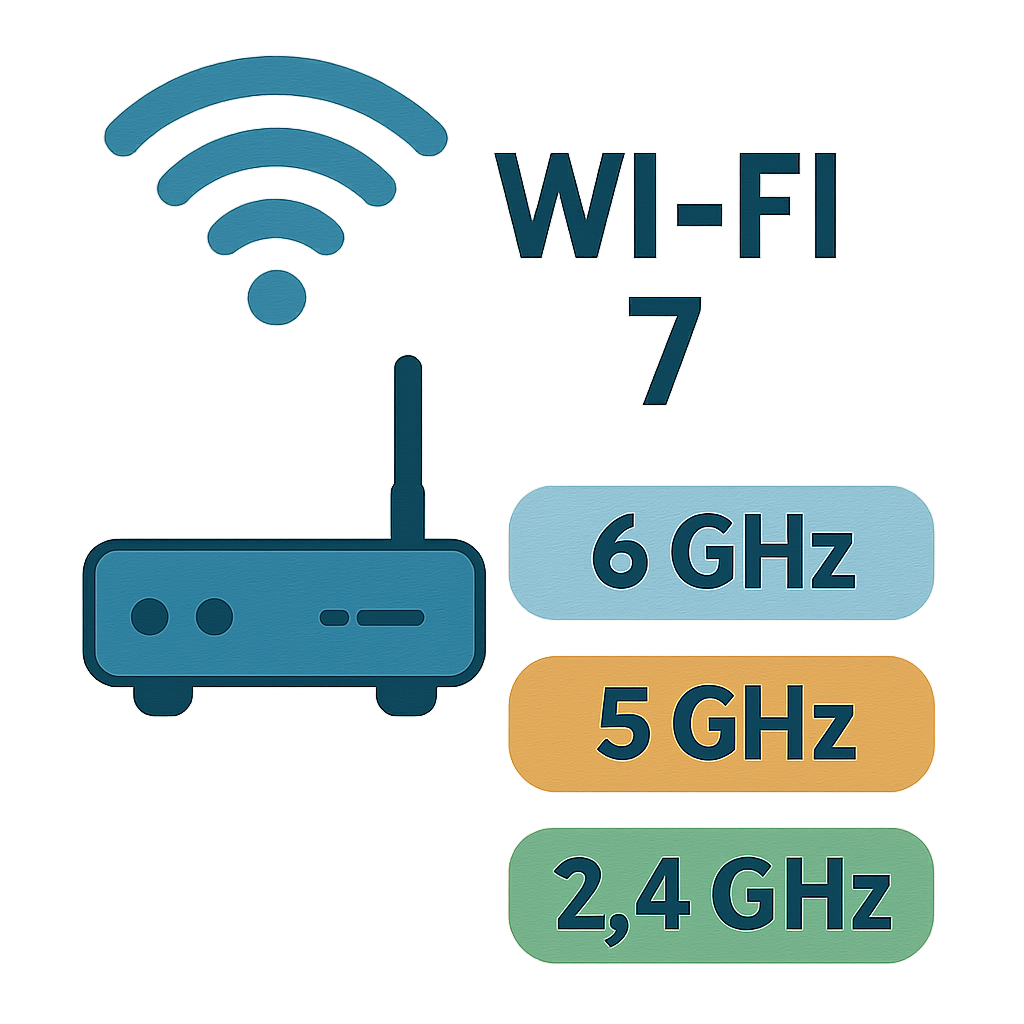
Wi-Fi 7 will operate on the newly approved 6 GHz band. This band has been selected as it will be much less congested than the older 2.4 GHz and 5 GHz bands. As such, Wi-Fi 7 should perform much better in dense areas.
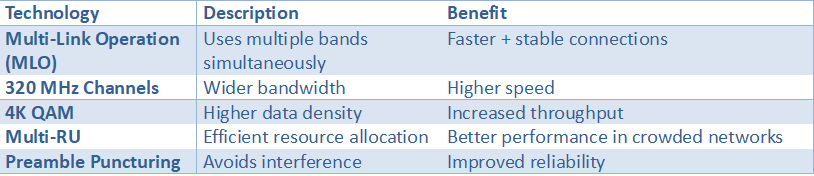
In addition, Wi-Fi 7 introduces Multi-Link Operation (MLO), which enables mobile devices to use multiple frequency bands simultaneously. MLO improves connection reliability and overall data transfer rates.
Key enhancements of Wi-Fi 7 include:
- 320 MHz Channel Bandwidth: Doubling Wi-Fi 6 capacity.
- 4096-QAM Modulation: Increases data rates for faster transfer.
- Improved Device Support: Perfect for smart home and IoT environments.
Understanding these features helps in appreciating the leap Wi-Fi 7 represents.
Key Wi-Fi 7 Features: What Sets It Apart
Wi-Fi 7 offers several major advancements that enhance the end-user experience. The improvements provided by these advancements are increased speeds and improved connectivity.
One of the most important advancements in this regard is the increase in the 320 MHz channel bandwidth. This will double the amount of data Wi-Fi 6 can carry. Therefore, users should see better, smoother streaming and gaming experiences due to this improvement.
Another major innovation included in Wi-Fi 7 is support for 4096-QAM. This innovation provides greater capability to transfer large amounts of data quickly and efficiently. It is also expected to improve the efficiency of Wi-Fi networks as they adopt advanced technologies such as OFDMA and MU-MIMO, enabling simultaneous connections to multiple devices.
Wi-Fi 7 Offers:
- Enhanced Network Efficiency: Reduces interference for a smoother experience.
- Increased Device Capacity: Supports more devices simultaneously without lag.
Wi-Fi 7 also includes innovations that enable advanced beamforming techniques to direct Wi-Fi signals to devices. By doing so, Wi-Fi 7 should provide faster and more reliable network performance than previous versions of Wi-Fi.
Additional Features Include:
- Enhanced Security Protocols: Robustly protect user data.
- Backward Compatibility: Works seamlessly with older Wi-Fi versions, ensuring a smooth transition.
Therefore, Wi-Fi 7 establishes a new standard for wireless networking, providing significant advantages over current-generation networks.

by Zulfugar Karimov (https://unsplash.com/@zulfugarkarimov)
Key Wi-Fi 7 Technologies Explained
Statistic: 4K QAM improves data transmission efficiency by ~20% compared to Wi-Fi 6.
Source:
Intel Wi‑Fi 7 Technology Guide
Wi-Fi 7 features like multi-link operation and wider channels enable faster, more efficient wireless performance

Wi-Fi 7 was designed to deliver a faster, more reliable, and more predictable wireless connection. The two main features of Wi-Fi 7 are Multi-Link Operation (MLO) and Wider Channels; these key features increase overall throughput, reduce latency, and maintain connectivity during periods of increased demand. Using the right Wi-Fi 7 router will also result in a smoother experience when streaming media, downloading files quickly, and minimizing intermittent slowdowns when all connected users are using their devices simultaneously.
Multi-Link Operation allows compatible devices to use multiple frequency bands simultaneously, avoiding congestion on a single band. Wi-Fi 7 Features enable a device to dynamically balance speed and reliability in real time by shifting traffic. In general, this means a Wi-Fi 7 Router can sustain a high-quality video call regardless of whether other devices on the network are engaged in sync file operations or streaming content.
The Wider Channels (up to 320 MHz) in the 6 GHz Band offer more “lanes” for data to travel over, increasing both peak speeds and efficiency, especially for bandwidth-intensive applications such as 4K/8 K Streaming, Large Game Updates, and Rapid Cloud Backups. A Wi-Fi 7 Router capable of supporting Wider Channels can serve demanding devices without causing all devices on the network to starve.
While Wi-Fi 7’s primary capability is increased speed, its secondary benefit is its ability to manage interference and bursty traffic flow issues that commonly arise in apartment complexes, office buildings, and densely populated residential areas. If you have recently upgraded your internet plan, added new Smart Home Devices, or anticipate working remotely more often, purchasing a Wi-Fi 7 Router offers useful additional capabilities.
In summary, Wi-Fi 7 features provide faster, more efficient, and more consistent wireless performance, so your network performs in line with how you use it.
Wi-Fi 7 Speed: How Fast Is It Really?
Wi-Fi 7 provides higher speeds than the prior standard, with the potential to deliver up to 30 Gbps. Thus, it will provide users with faster internet access for smoother streaming and faster browsing.
The enhanced performance is primarily due to increased bandwidth. Wi-Fi 7 can operate on three frequency bands: 6 GHz, 2.4 GHz, and 5 GHz. This results in less congestion than when using just one or two frequency bands. As a result, the user will experience a more consistent, faster data transfer rate.
Speed Enhancements You Can Expect:
- Multi-Gigabit Speeds: Handle demanding applications effortlessly.
- Lower Latency: Crucial for real-time applications like VR and online gaming.
Another key component designed to enhance Wi-Fi 7 speeds is Multi-Link Operation (MLO). MLO enables users to have their device connected to all available bands simultaneously. MLO enhances both speed and reliability.
Overall, Wi-Fi 7 speed-enhancing features are going to allow users to access the Internet-based applications that they use in a way never before experienced, setting new standards for home and business networking

by Google DeepMind (https://unsplash.com/@googledeepmind)
Real-World Speed & Performance Benchmarks

Statistic:
Wi-Fi 7 reduces latency by up to 50%, improving gaming and AR/VR performance.
Source:
Qualcomm Wi‑Fi 7 Performance Insights
Wi-Fi 7 speed: Offers ultra-high data rates, making it ideal for streaming, gaming, and heavy data usage.

Wi-Fi 7 Speed represents a massive advancement for both household use and office use, where always-on connectivity is required. With increased peak throughput and efficiency, Wi-Fi 7 provides the extremely high speeds necessary for demanding applications such as 4K/8 K Streaming, Competitive Gaming, Video Conferencing, and Large File Transfers. These enhancements can improve performance from a capable Wi-Fi 7 Router when multiple devices are active at the same time.
The main reason Wi-Fi 7 Speed may seem faster than previous versions in everyday use is that it improves traffic flow under load. Wi-Fi 7 adds new capabilities to reduce latency while maintaining steady throughput, allowing gaming to remain responsive and videos to maintain quality even during periods of high use (e.g., when someone else is downloading a large update). Additionally, Wi-Fi 7 Routers are designed to optimize the use of the available spectrum and make more intelligent decisions about how data is distributed to each device; therefore, they perform much better in busy areas.
In terms of streaming, an increase in available bandwidth translates into reduced compression artifacts and decreased buffering; this effect is magnified when multiple TVs, tablets and phones are streaming simultaneously. For gamers, improvements in low latency and fewer lag spikes can result in a more consistent input response and less “rubber-banding.” For individuals who require very high data usage (such as cloud backup, creative workflows, or Home Servers), Wi-Fi 7 Speed can significantly decrease transfer times and keep productivity applications running smoothly. In all of these instances, a Wi-Fi 7 Router becomes the central factor in determining whether its capabilities are visible throughout your entire network.
Finally, Wi-Fi 7 is a future-proofed upgrade. As internet service providers continue to increase service speeds above Gigabit Levels and the number of devices requiring more bandwidth continues to grow annually, choosing a Wi-Fi 7 Router can help users utilize faster broadband services, avoid wireless bottlenecks, and maintain network consistency as it grows.
Ultimately, Wi-Fi 7 Speed makes high-bandwidth applications second nature — particularly when using a suitable Wi-Fi 7 Router at its core.
Wi-Fi 7 Benefits: Why Upgrade?
Wi-Fi 7 will enhance the user experience by offering many advantages over current wireless systems. As such, this technology does more than simply improve speed; it improves total network efficiency. Therefore, it is a good option for all consumers (both at home and in business) seeking reliable Internet access.
A major advantage of Wi-Fi 7 is that it supports multiple devices simultaneously. Wi-Fi 7 was specifically developed to address high-density device networks. These are perfect for smart home and IoT solutions. Because Wi-Fi 7 supports many devices connecting simultaneously without degrading system performance, there is no need to limit the number of devices that can connect to your network.
Compelling Reasons to Upgrade:
- Improved Network Efficiency: Less interference, more stability.
- Enhanced Security Features: Protect your data with stronger protocols.
- Backward Compatibility: Works with older Wi-Fi devices.
The upgrade to Wi-Fi 7 will protect your long-term investment by enabling your network to evolve with emerging technologies and services. Additionally, Wi-Fi 7 includes security features that give you confidence in the safety of your connectivity and data.
Intelligent Cloud AI: How Robots Use a Powerful Cloud Brain
Wi-Fi 7 benefits: lower latency, better device handling, and improved network stability

Wi-Fi 7 benefits extend beyond the faster raw data transfer rate, creating a much more responsive and stable environment for everyday use. The largest enhancements will be seen within three major categories: Latency (how long it takes to send/receive packets), Device Handling (how the router handles/assigns bandwidth among numerous connected devices), and Stability Under Load (the router’s ability to continue functioning during peak periods of use).
The Latency benefit will have an obvious effect on both Gaming and Collaboration. Reducing the time it takes to send data packets between two points will significantly reduce the amount of “lag” experienced in online games. Voice & Video calls will remain in Sync with fewer dropped frames, improving Responsiveness for Cloud applications & Remote Desktops. A Wi-Fi 7 Router supporting the latest Performance Features can maintain a steadier connection during traffic spikes.
Device Handling is becoming increasingly important as homes and businesses begin adding phones, Laptops, TVs, cameras, and Internet of Things (IoT) Devices. Wi-Fi 7 benefits in this area include Improving Efficiency and Smarter Scheduling, so your Network can support Multiple Users Simultaneously without any one Activity (such as a large Download) impacting the other Activities. A Wi-Fi 7 Router can support multiple Streams while Background Devices are syncing/updating.
Another Key Benefit of Improved Network Stability will become apparent in Crowded Neighborhoods and interference-prone environments. Wi-Fi 7 benefits include More Consistent Throughput and Fewer Disconnections, helping maintain performance throughout the day amid changing environmental conditions. Additionally, upgrading to a Wi-Fi 7 Router can help Future-Proof Your Setup as Broadband Speeds increase and you add Devices.
In general, the benefits of Wi-Fi 7 are about providing Dependable Low-Lag Performance at Scale. If you’re looking for a solution to support work, entertainment, and Smart Home Devices simultaneously, a Wi-Fi 7 Router may provide enough headroom and Stability to keep everything running smoothly.
Wi-Fi 7 vs Previous Generations: A Clear Comparison
Wi-Fi 7 is an advancement over prior Wi-Fi standards and will be a game-changer for connectivity. Comparing some of the new technologies and features of Wi-Fi 7 to those of its predecessors is necessary to appreciate how far ahead it has progressed.
The first major feature of Wi-Fi 7 that improves on Wi-Fi 6 is speed. The potential maximum theoretical throughput of Wi-Fi 7 is 30 Gbps. In contrast, the maximum theoretical throughput of Wi-Fi 6 is about 9.6 Gbps. Therefore, the higher speeds possible with Wi-Fi 7 enable faster downloads and smoother video and audio streaming.
Major Differences:
- Speed: Wi-Fi 7 maxes out at 30 Gbps.
- Bandwidth: Utilizes 320 MHz channels, double that of Wi-Fi 6.
- Device Support: Handles more devices at once with less latency.

by Egor Komarov (https://unsplash.com/@egorkomarov)
Another advantage of Wi-Fi 7 is backward compatible. Therefore, you can use your older wireless devices on the same network as your newer Wi-Fi 7-capable devices. As a result, you may enjoy the improved performance of Wi-Fi 7 while still having access to the legacy technology and devices you own.
Wi-Fi 7 vs Previous Generations

Statistic:
Wi-Fi 7 can deliver up to 4.8× faster speeds than Wi-Fi 6.
Source:
IEEE 802.11be Overview
Real-World Applications: Who Needs a Wi-Fi 7 Router?
Wi-Fi 7 routers can be used by a wide range of users. Wi-Fi 7 is a great option for anyone who wants a faster, more reliable way to access the Internet. Both home users and business users have been using Wi-Fi 7 router to meet their connectivity needs.
Many of the new Wi-Fi 7 technologies that enable fast speeds and low latency provide an excellent solution for online gaming and streaming. The ability to quickly move large amounts of data around also ensures that your viewing experience remains uninterrupted.
Users who Benefit Most:
- Gamers: For smoother online gaming without lag.
- Streamers: To stream 4K and 8K videos seamlessly.
- Smart Homes: For supporting multiple IoT devices.
- Businesses: To facilitate efficient remote work operations.
Therefore, purchasing a Wi-Fi 7 router provides the best way to connect now while planning ahead for your expanding digital needs.
Top Wi-Fi 7 Routers in 2024: Models and Brands to Watch
Several companies will be among the leaders in the emerging Wi-Fi 7 marketplace. The new standards and innovations associated with each model make them very exciting.
ASUS has gained a strong reputation for being at the forefront of technological advancements. This will likely continue in their Wi-Fi 7 models. They are also expected to offer high speeds and reliability.
Notable Models and Features:
- ASUS ROG Series: Designed for gamers, offering ultra-low latency.
- NETGEAR Nighthawk Series: Features advanced parental controls and security.
- TP-Link Archer Series: Known for wide coverage and efficiency.
Individual models aside, there are also a number of well-established brands whose names alone give users an idea of what to expect in terms of quality and performance. The following list includes many brands making waves with the latest Wi-Fi 7 technology.
Leading Brands:
- ASUS: Innovation-driven with smart home compatibility.
- NETGEAR: A trusted name in network solutions.
- TP-Link: Offers robust and affordable routers for all needs.
by GAMERCOMP.RU (https://unsplash.com/@gamercomp)
These are just a few examples of devices that will enable customers to take advantage of all that Wi-Fi 7 offers. When they begin shipping, they will give customers many options depending on how they wish to use their device. A great time to invest in a Wi-Fi 7 router is now, because you will have the fastest possible network and a future-proof connection.
Top Wi-Fi 7 Routers Comparison

Statistic:
The global Wi-Fi 7 market is expected to grow rapidly as adoption increases in smart homes and enterprise networks.
Source:
TP-Link Wi‑Fi 7 Product Insights
Best Wi-Fi 7 router: The best Wi-Fi 7 router delivers ultra-fast speeds and reliable connectivity for modern homes and businesses

When searching for the best Wi-Fi 7 router, there’s a lot more at play here than just trying to chase down top speed numbers — you’re looking for a consistent experience across all rooms and all devices. A great Wi-Fi 7 router will be able to provide blazingly fast data transfer rates, faster response times (lower latency), as well as more stable connections during periods of high demand, whether that means watching 4K/8K content, hosting video conferencing sessions, or supporting dozens of other connected devices on your network.
The first step is to determine what type of Wi-Fi 7 router will suit your needs based on your location and use case. Homes and/or offices that are larger in size, have multiple floors, or have an abundance of devices will benefit greatly from routers with more powerful radio transmitters, better antennas, and/or additional technologies that manage network traffic to prevent performance degradation under heavy usage.
As newer Wi-Fi 7 routers become available, they will likely support the 6GHz frequency band where available. Using this frequency band will provide the cleanest possible path for high-bandwidth devices to communicate over the airwaves, ultimately improving overall network performance and reducing contention (i.e., competing signals).
To add another layer of stability and reliability to your Wi-Fi 7 router choice, consider selecting models that include additional features such as multi-link operations support, wide-channel capabilities, strong security updates, and robust Quality-of-Service (quality of service) control options. If using your best Wi-Fi 7 router in a business setting, consider purchasing a model with a more stable firmware base, more comprehensive monitoring capabilities, and stronger Guest Network options. These features will help make day-to-day management much easier. When choosing a Wi-Fi 7 router for your home, it may result in fewer areas with “dead spots” and potentially less buffering during periods of heavy network demand.
Long-term considerations are important as well. As users subscribe to higher-capacity broadband services, new smart-home products continue to flood the market, and bandwidth-hungry applications proliferate, the risk of wireless bottlenecking increases. By investing in the best Wi-Fi 7 router now, you’ll be protecting yourself against potential bottlenecks further down the road.
In short, the best Wi-Fi 7 router for you is the one that meets your specific requirements, provides a stable signal throughout your premises, and maintains speed even under heavier-than-normal loads. Once you select a suitable Wi-Fi 7 router, you’ll enjoy a dependable connection that will meet the demands of your current activities.
ASUS Wi-Fi 7 Router: Leading the Innovation
Wi-Fi 7 routers have already become the norm. In fact, most of the current market is dominated by Wi-Fi 6E.
The first-generation Wi-Fi 7 routers offer improved speeds over their predecessors. These devices support speeds up to 30 Gbps (gigabits per second). The Wi-Fi 6E standard only supports 9.6 Gbps.
Key Features of ASUS Wi-Fi 7 Routers:
- Multi-Link Operation (MLO)
- Enhanced Security Protocols
- Smart Home Integration
Additionally, Wi-Fi 7 routers also use beamforming. Beamforming allows each device connected to the same network to receive signals directly.
by Brecht Corbeel (https://unsplash.com/@brechtcorbeel)
ASUS Wi-Fi 7 router: delivers advanced performance and cutting-edge features for next-generation networking

An ASUS Wi-Fi 7 Router could be a good option for people seeking a fast, reliable wireless connection. ASUS Wi-Fi 7 Routers are built for high-traffic residential & commercial applications and focus on speed, low latency, and the ability to handle multiple connections, which is important for streaming, gaming, remote work, and smart home systems.
What makes an ASUS Wi-Fi 7 Router stand out is the combination of new technologies and maturity in router software. With a Wi-Fi 7 Router that supports advanced standards such as Multi-Link Operation and Wider Channels (if supported), you will experience smoother performance as the network becomes busier. This can mean less lag during online gaming, steadier video calls, and quicker file transfers for cloud backups or large downloads.
In addition to Performance Coverage and Stability, matter. A well-designed Wi-Fi 7 Router should provide improved whole-home coverage by delivering stronger signals and more efficient interference management, which is particularly useful in heavily congested neighborhoods where many other networks may be operating. Many ASUS Wi-Fi 7 Router come equipped with full control options for prioritizing traffic, creating guest networks, and controlling devices connected to it. For example, they allow you to prioritize traffic flow for work devices so everyone else can stream without disrupting each other.
Lastly, Security Updates are another very important aspect of modern day Networking. Choosing a Wi-Fi 7 Router from a company that provides regular firmware updates will help reduce potential risks and keep your features up to date as technology evolves. As you upgrade to a faster Internet Service Provider (ISP) or prepare to connect more Wi-Fi 7-capable devices, an ASUS Wi-Fi 7 Router can help future-proof your Network.
All in all, an ASUS Wi-Fi 7 Router provides advanced performance and modern features, making Next Generation Connectivity a more stable, faster, and easier-to-use experience.
How to Choose the Best Wi-Fi 7 Router for Your Needs
If you are looking for a Wi-Fi 7 router, determine your needs. Homes with families who stream movies, play games, etc., will likely require different features in their Wi-Fi 7 routers than business environments do.
Assess how much space you want to cover. If you live in a large home or have a lot of dead spots, you should look at Wi-Fi 7 routers that have good range (distance) capability or mesh network capabilities. Next, assess the compatibility of your current devices. This is very important to avoid issues when switching over to your new Wi-Fi 7 router.
Factors to Consider:
- Coverage area requirements
- Device compatibility
- Specific use cases
Lastly, evaluate which advanced feature(s) would be best suited to your needs. If multi-link operation is something you believe would be useful for your particular needs, make sure to find a router that supports this. Also, if there are other security features available on Wi-Fi 7 routers that you feel would meet your needs, they are worth looking into as well.
Setting Up and Optimizing Your Wi-Fi 7 Router
Setting up your Wi-Fi 7 router is straightforward with the right steps. Start by placing it in a central location for optimal signal distribution.
Setup and Optimization Tips:
- Central placement for coverage
- Use the 6 GHz band for peak performance
- Regularly update firmware for security
Configure the device using its interface, often accessible via a web browser. Ensure all settings are optimized, including enabling any features that reduce interference. Regularly update the firmware to maintain security and efficiency.
Is It Time to Upgrade? Future-Proofing Your Network
The process of installing and configuring your new Wi-Fi 7 router should be easy as long as you follow these simple steps. First, find an ideal spot in your home for your Wi-Fi 7 router (preferably near the center) to provide the best possible coverage and reception.
Consider Upgrading If:
- You manage multiple smart devices
- You need faster, more reliable connections
- Your current network experiences frequent congestion
Next, log in to the router’s interface; most routers have one accessible via a Web Browser. Make sure that all options within this interface are properly configured; specifically, check whether there is an option to enable interference reduction.
When Should You Upgrade?

Statistic:
Over 60% of households are expected to adopt next-gen Wi-Fi technologies by 2026.
Source:
Statista Wireless Technology Forecast
Conclusion: The Future of Connectivity with Wi-Fi 7
Wi-Fi 7 is a giant leap forward in wireless communications. It is expected to revolutionize our interaction with the digital environment by providing a reliable, high-speed connection. Wi-Fi 7 features will provide us with continuous access for streaming, gaming, and work.
When Wi-Fi 7 becomes commonplace, networks will be able to support advanced services without difficulty. A number of new technologies are on the horizon as a result of this advance. Wi-Fi 7 is not simply an upgrade to your network; it is the next generation of wireless connectivity.
FAQs
1) What is a Wi‑Fi 7 router, and what makes it different?
A Wi‑Fi 7 router is a next-generation wireless router built on the Wi‑Fi 7 standard. It improves speed, efficiency, and stability through upgrades such as wider 320 MHz channels, 4096-QAM, and Multi-Link Operation (MLO), reducing congestion and latency.
2) How fast is Wi‑Fi 7 compared to Wi‑Fi 6/6E?
Wi-Fi 7 can deliver significantly higher peak speeds (often cited as up to ~30 Gbps in ideal conditions) compared to Wi-Fi 6’s ~9.6 Gbps maximum. Real-world results depend on your internet plan, device support, signal strength, and network interference.
3) Do I need new devices to benefit from Wi‑Fi 7?
You’ll get the biggest gains with Wi‑Fi 7-capable phones, laptops, or PCs. However, a Wi-Fi 7 router is backward-compatible, so older Wi-Fi devices can still connect and may benefit indirectly from better overall network management.
4) What is Multi‑Link Operation (MLO), and why does it matter?
MLO lets compatible devices use multiple frequency bands simultaneously (e.g., 5 GHz and 6 GHz), improving throughput and connection stability. It’s especially useful for gaming, video calls, VR, and busy networks with many devices.
5) How do I choose the best Wi‑Fi 7 router for my home or business?
Focus on coverage needs (home size, walls, floors), band support (including 6 GHz where available), performance features (MLO, wide channels), and reliability factors like firmware updates, security features, and management tools (guest networks, QoS, monitoring).