


































You are on the sofa, and you say, “Alexa, turn on the living room lamp”, and instantly the room is lit. It seems to be magic. Most of the time, however, this magic disappears when you try to do something similar later, and you get a message that says, “Sorry, the device won’t respond.” More than likely, the reason that you are getting this message isn’t that the lamp has broken or the smart speaker has died. Rather, most likely, the problem stems from the behind-the-scenes conversation happening in the air—needed to fully understand how your smart home works.

Imagine a smart home like a very crowded party. There are many devices trying to speak up at the same time. For this to work, there is no single way the devices communicate with each other. The way the devices in a smart home are able to communicate with each other is based on what type of “language” they use digitally, along with the method(s) they use to communicate with other devices.
#Intelligent Smart IoT Sensors and AI: The Powerful Connection
Smart devices typically use one of two ways to interact with each other: Wi-Fi and Bluetooth. However, numerous other communication protocols are also available, including Zigbee and Z-Wave. They are designed specifically to operate behind the scenes for certain tasks. The basis of IoT communications lies within the communication protocol and methodology.
Your choice of digital language will either make a smart home functional and dependable or frustrating. The correct communication method selected for the task may not produce the desired results. Examples include: A video doorbell that performs slowly, a smart lock that has a very short battery life, and a light that takes an excessive amount of time to turn on.
Examples of communication protocols designed for high-speed applications and high power consumption to support a high volume of information (video), serving as highways for that information. Communication protocols are designed to provide a quiet and low-energy signal to allow a small sensor to run continuously over a long period (years) using the low-energy characteristics of the signal.
This is your Rosetta Stone for understanding today’s smart home. This guide will help you read between the lines to understand why a new device requires its own “hub” and why you should not add too many devices to your network if you want to keep your Wi-Fi fast. Upon completing this guide, you will be able to create a smarter home that works for you, not against you.
The Internet of Things (IoT) is the ability to connect all kinds of products to the internet, enabling them to monitor, report, and respond. People no longer have to do everything by hand; connected devices can constantly monitor and report in real time, allowing users to manage systems in real time. IoT is used in homes, schools, hospitals, factories, and cities to improve safety and streamline processes. Often, it occurs behind the scenes to accomplish both.
Typical IoT arrangements begin with the sensor. Sensors collect specific items (light, temperature, humidity, motion, energy usage, location, etc.). That information is then transferred via a communication path (Bluetooth, Wi-Fi, cellular networks, low-power networks) to another device, an application, a local hub, or to cloud-based applications where the data is stored and analyzed.
-IoT has the capability of automating activities. For instance, a smart thermostat learns your routines and changes the temperature accordingly to reduce energy use. Smart lighting turns itself off after you leave the room. Wearable health-related devices can track heart rate and physical activity to detect trends earlier. Soil sensors in agriculture can assist farmers in irrigation by optimizing water distribution. All examples utilize device data to generate actions or notifications.
A large number of IoT systems are designed with “edge” processing in mind. This method allows many decision-making processes to occur at the local level (i.e., the device or gateway) rather than on a remote server. As such, IoT applications are generally faster and require fewer transmissions from device to cloud. Some data may need to be transmitted to the cloud to aggregate with other data sources to produce dashboards, predictive analytics, and/or maintenance schedules (e.g., to notify a technician prior to equipment failure).
As with any technology, security is important because IoT devices have direct access to sensitive information and can affect tangible, real-world items. Designing for security involves using secure passwords, regularly updating firmware/software, encrypting data that travels over the internet, and restricting the types of communication paths individual devices have access to. Properly designing and using IoT capabilities can improve users’ comfort, productivity, and safety, while also providing users with a better understanding of their environment.
Smart Home Devices: How Everyday Objects Communicate
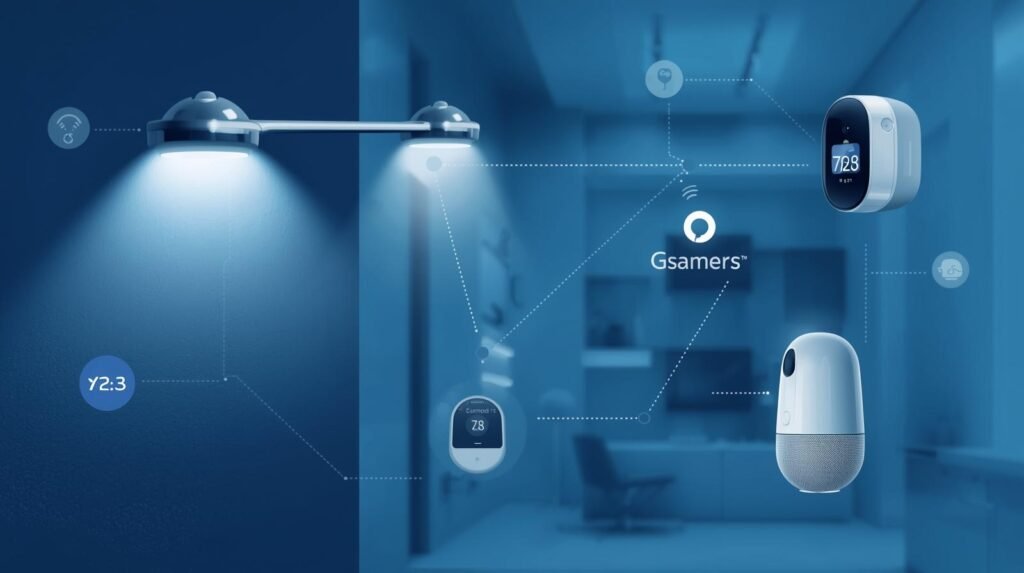
Smart home devices have evolved from just “gadgets” to small personal computers. These devices provide you with timely information about what is happening in your home and allow you to share it with other devices so they can take action based on these updates. This is the main idea behind IoT (the Internet of Things): common objects exchanging data to enable helpful, automated processes.
There are many ways for smart home devices to communicate with each other. The majority of smart home devices will use either Wi-Fi to connect directly to your router or a local hub using Bluetooth, Zigbee, or Thread. Many homes will contain a single device, such as a smart speaker or a central hub that serves as a translator. All smart home devices will be able to communicate with each other through this single device, regardless of the wireless communication method used by the device.
Most smart home devices will send notifications/short reports (e.g., door/window open/close, motion detected, temperature changed) rather than continually transmitting large amounts of data.
The easiest type of IoT application is a “scene” (for example, a smart home device lets you link a door sensor to a hallway light). So when you open the door after sunset, the hallway light comes on. The most commonly paired applications are thermostats linked to window sensors. The thermostat linked to a window sensor stops heating when a window is left open. Most apps/cloud services offer a simple way to pair devices and enable decision-making using locally collected data, improving response times in many cases.
Smart home devices can both send information back to you and exchange information with each other. The devices send notifications, logs, or health checks to your mobile device so you can see everything that happened and change settings.
Eventually, smart home devices will become aware of your routines (such as what time you get home) and suggest an automation for you. However, because smart home devices control your living space and operate over the internet, there is also a risk that someone could gain access to your home and/or devices. To protect your smart home devices, keep the firmware up to date, create secure passwords, and, if possible, place them on a guest/IoT network. If correctly configured, smart home devices can easily exchange messages and help make your home more comfortable, energy-efficient, and safer by sending a single IoT message.
#Breakthrough Guide to Genomic Data and Why AI Needs It
IoT Device Connectivity: The Backbone of Smart Communication

Smart communication in a highly interconnected digital world depends upon the successful transmission of data through IoT devices – from one device to another, one application to another, and across different platforms.
The role of IoT Device Connectivity in this environment is to establish how sensors send data to devices, how devices receive instructions from other devices and applications, and how systems continue to react to this data. Therefore, an ideal IoT Device Connectivity solution must optimize speed, range, and power consumption while balancing costs to provide reliable data communication without excessive battery consumption or data loss.
There are numerous ways to achieve IoT device connectivity. For example, in homes and offices, Wi-Fi is commonly used for its high transmission speeds and the ubiquity of wireless routers. Bluetooth is also frequently used for quick pairing and short-range control of devices. LPWAN (Low-Power Wide Area Networks) technologies, such as Zigbee and Thread, were developed to enable connectivity among many low-power, small devices operating in a network.
The connections to these networks usually rely on a Hub/Bridge Router to manage the flow of Network Traffic. Commonly used Technologies for Wide-Area IoT Solutions include: Cellular (4G/5G/LTE-M/NB-IoT) and LPWAN (LoRaWAN). Typically, these technologies sacrifice Speed for Longer Range and Increased Battery Life. In Industrial Environments, Ethernet and Private Cellular Networks are typically used to provide Reliable, Low-Latency Communication. The IoT Device Connectivity Solution to be selected will depend on the Environment (Location), Interference Levels, Mobility, Data Transmission Frequency, etc.
A Strong IoT Device Connectivity Solution also addresses what happens after a Signal has been sent. Edge Gateways translate protocols and filter data before it reaches the Cloud, reducing the Load on the Cloud and improving Response Times. Also Important is managing the Devices to provision, monitor, and Deliver Remote Updates so that large Numbers of IoT Devices can continue to function properly as the number of IoT Devices grows and evolves within an IoT System.
It is equally important to protect IoT Data from Unauthorised Access and to prevent unauthorised parties from gaining Control over an IoT Device’s connectivity. This allows IoT Systems to have Effective Communication between Devices, provide you with the Insights you need, and perform the Automated Functions you expect — making IoT communication feel like a normal part of your Daily Routine.
IoT Device Growth Statistics
| Year | Connected IoT Devices |
|---|---|
| 2020 | 9.7 Billion |
| 2023 | 15 Billion |
| 2025 | 27 Billion |
| 2030 | 75 Billion |
Key Insight: IoT devices are growing exponentially, increasing demand for efficient
Source:
- Statista IoT Data
https://www.statista.com - Ericsson Mobility Report
https://www.ericsson.com
Communication Between IoT Devices: From Sensors to Systems

IoT devices exchange information between devices through a simple process. There are many types of sensors that collect data (e.g., temperature, movement, vibration). The data is then sent from the sensor to an interface (e.g., Gateway) where it is processed and acted upon by the receiving end.
IoT enables fast, reliable communication between devices, allowing raw data to be converted into decision-making capabilities.
There are several ways a sensor can communicate with an interface, such as Wi-Fi, Bluetooth, Zigbee, Thread, and cellular.
In general, data from various sensors is routed through the interface (gateway) and transmitted to a cloud service, which stores the data, creates dashboards, and performs analytics; all of these are forms of communication between IoT devices.
IoT devices can share data with one another today using various communication protocols, such as publish/subscribe messaging models. For example, a thermostat may turn down the heat if it receives an update indicating the temperature is dropping, based on data from a room sensor. Edge computing has recently been used frequently in the design of new IoT devices because edge computing allows for local decision-making on the IoT device itself, versus having all data go to the cloud for processing.
The main benefit of edge computing is reduced communication latency between IoT devices, enabling the system to operate continuously when an internet connection is unavailable. There are many complexities involved in coordinating a large number of IoT devices. Therefore, each IoT device should be uniquely identified, use the same timestamp, and send/receive data in the same format.
These three elements will provide consistency across all IoT devices, regardless of the manufacturer or hardware type. In addition to these basic requirements, security will be a major factor in implementing large-scale IoT networks. Data encryption, unique device identification, and restricting access to the network by other devices will help prevent unauthorized access to sensitive information and maintain the integrity of data exchanged between IoT devices.
#Empowering Smart Wearables and AI: How They Track Your Health
IoT Network Protocols: Rules That Devices Follow to Talk
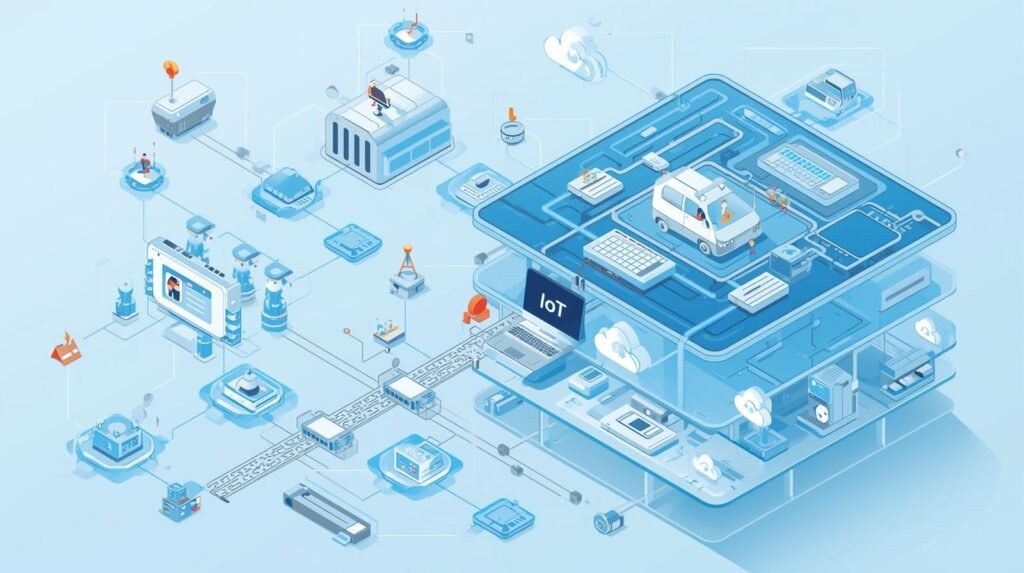
IoT Network Protocols — “Traffic Rules” Between Interconnected Systems. IoT network protocols (i.e., common languages and traffic flows) allow the interconnected elements of a connected system to work together in harmony. IoT devices don’t just send random data; they communicate via specific IoT network protocols that ensure their messages reach the right recipient, in the correct form, at the appropriate time.
Without IoT network protocols, an IoT sensor, gateway, and application would never have been able to communicate with each other.
Examples of IoT network protocols for linking IoT devices at the network layer include Wi-Fi, Bluetooth, Zigbee, Thread, and cell-based communication. While each of these IoT network protocols serves a different purpose in IoT implementations, Wi-Fi is one of the fastest communication options and is typically used in home environments. Bluetooth, conversely, is best suited for establishing connections between nearby devices. Zigbee and Thread are both well-suited for low-power mesh networking, where devices may also act as relay nodes for messages. Cell-based IoT communications, including LTE-M and NB-IoT, enable long-range communication.
There are several IoT Network Protocols that run at the Message Layer and thus support Messaging. Because of its low overhead and Publish/Subscribe capabilities, MQTT has become the most widely adopted protocol among IoT Device developers for sharing status information with one another. CoAP was created to offer a replacement for existing constrained-device protocols (i.e. MQTT), and provides similar functionality through simple Request/Response interactions.
HTTP/HTTPS is commonly used in IoT Networks, where devices consume more power than a battery can typically provide, or when a developer wants to make their product web-compatible. Most IoT Systems utilize more than one IoT Network Protocol: one for the Radio Link and another for Packaging and Delivering Data.
When deciding on the best IoT Network Protocols to meet your requirements, you should also consider Reliability and Security. The Reliability of IoT Network Protocols includes Quality of Service Settings, Acknowledgments, and Retries that enable them to perform under Poor Signal Strength.
The Security Features of IoT Network Protocols, including Encryption and authentication, will protect against Eavesdropping and Impersonation on IoT Networks. As IoT applications begin to move from factories into our homes, hospitals, and industries, this is becoming increasingly important. By choosing the right IoT Network Protocols, IoT Communications can be Predictable, Scalable, and Reliable.
IoT Communication Protocols Comparison
| Protocol | Range | Power Usage | Speed | Best Use Case |
|---|---|---|---|---|
| Wi-Fi | Medium | High | Fast | Video straming, Cameras |
| Bluetooth | Short | Low | Moderate | Wearables, headphones |
| Zigbee | Medium | Very low | Low | Smart home devices |
| Z-Wave | Medium | Very low | Low | Home automation |
| LoRaWAN | Long | Ultra-low | Very low | Smart cities |
Insight: Different protocols are optimized for range, power, or speed – not all three
Source:
- IEEE IoT Standards
https://www.ieee.org - Cisco IoT Networking Guide
https://www.cisco.com
IoT Data Exchange: How Information Moves Securely

The conversion of sensor data into useful data (IoT Data Exchange: How Information Moves Securely) occurs when data from an IoT sensor is shared with other parties and converted into a usable format.
This exchange is needed for both secure communication and reliability in IoT. It ensures the right data reaches the right place while preventing others from intercepting or manipulating it.
Typically, the data starts with the device itself. A sensor will measure something (temperature, motion, etc.) and create a “package” (message) to send via one of several wireless protocols (Wi-Fi, Bluetooth, Zigbee, Thread, cellular).
From there, the data typically passes through a “gateway” or “hub” that receives all incoming messages, removes “noise” and anything deemed unnecessary, and sends only the required data.
In virtually every case, the data will be transmitted to a cloud service, where it will be analyzed and, depending on the analysis, automated responses will be generated. Another essential part of IoT data exchange, this enables the connection between the physical and digital worlds through dashboards and apps.
IoT Data Exchange is needed to protect users’ privacy. If an attacker can intercept your IoT data exchange, they may gain access to your private activities or control one of the devices on the network. Secure IoT Data Exchange can be achieved by using encryption during transmission (e.g., Transport Layer Security (TLS)) to prevent attackers from intercepting your messages. Devices in an IoT Network should be able to authenticate and/or validate each other’s identities using certificates, keys, or secure tokens.
This would prevent an attacker from impersonating another device and, therefore, having potential access to all the devices within the IoT Network. Access controls can be applied to limit which users have permission to view IoT data exchanges or issue commands. Secure updates can provide patches for known security vulnerabilities that may affect the safety of data exchange in IoT over extended periods.
IoT Data Exchange requires good design to provide both integrity and reliability. Using checksums, message acknowledgements, and retry rules will enhance the reliability of data exchange. Additionally, using timestamps and standardized formats will enable easy aggregation/integration of IoT Data Exchange across multiple sources.
Edge Processing Technologies provides a means of processing IoT device-generated data locally. This enables the IoT Device to make immediate decisions based on its environment when the Internet connection is lost and to synchronize this information with the remainder of the IoT Data Exchange upon restoration of the Internet connection. By including strong encryption, strong authentication/identification, and real-time monitoring at the outset of IoT Data Exchange design, IoT Automation can occur in a fast, reliable, and trusted manner.
Real-World IoT Data Flow Example
| Step | What Happens |
|---|---|
| Sensor Input | The temperature sensor detects a change |
| Data Transmission | Sends data via Zigbee/Wi-Fi |
| Hub Processing | Smart hub analyzes data |
| Cloud Sync | Data stored and processed |
| Action | The thermostat adjusts the temperature |
Example: A smart thermostat automatically cools your home when the temperature rises.
Source:
- Google Nest Documentation
https://store.google.com - AWS IoT Core
https://aws.amazon.com/iot
Wi-Fi vs. Bluetooth: Choosing Between the Superhighway and the Side Street
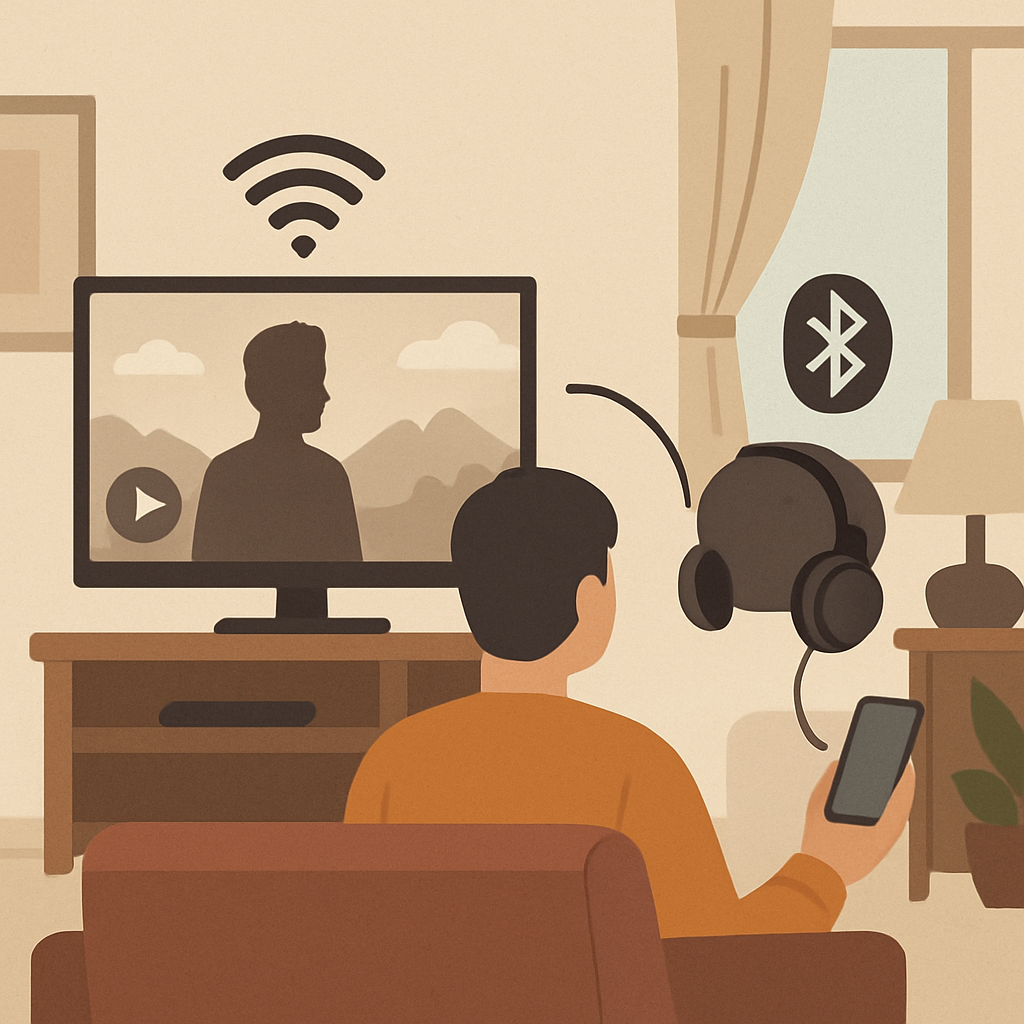
Wi-Fi and Bluetooth are two of the most common ways your smart devices connect to the internet. Both Wi-Fi and Bluetooth allow your smart devices to communicate with other devices (like freeways/local roads). Wi-Fi should be considered the freeway/highway. It was designed for fast, long-distance transportation. Therefore, it’s best suited for devices that send large amounts of information/data. For example, a smart TV streaming 4K video or a video doorbell sending real-time images to a smartphone are ideal for Wi-Fi.
Wi-Fi transmits large amounts of data to provide enough speed to support the number of applications you want to use. Therefore, Wi-Fi is typically used by devices that plug into an electrical outlet rather than by devices that are powered by batteries. Bluetooth should be viewed as a local street. It’s designed for short-distance traveling using a minimal amount of “fuel.” Bluetooth is well-suited for battery-powered devices such as wireless headsets and smart fobs. These types of devices need to send very little information and can last for years on a single charge.
The main difference helps explain why you may feel frustrated when trying to install a device such as a security camera. First, before you install a critical device such as a security camera, go to the location where you want to place the device and check how many Wi-Fi bars your phone shows. If you see little to no, then your security camera will also experience poor coverage. Although Wi-Fi is a good technology, adding too many devices to a single Wi-Fi network introduces another negative factor: increased digital traffic. This slows all devices down.
Wi-Fi vs Bluetooth
| Feature | Wi-Fi | Bluetooth |
|---|---|---|
| Range | Up to 100m | 10-30m |
| Speed | High | Lower |
| Power Consumption | High | Low |
| Device Capacity | Limited under load | Better for small networks |
| Use Case | Streaming, Smart TVs | Sensors, Wearables |
Insight: Wi-Fi is powerful but crowded; Bluetooth is efficient but limited.
Source:
- Bluetooth SIG
https://www.bluetooth.com - Wi-Fi Alliance
https://www.wi-fi.org
The “Crowded Room” Problem: Why Your Wi-Fi Chokes on Too Many Smart Devices
Your home Wi-Fi will be fast. However, just like every road, it has its own traffic jams. Your Wi-Fi router works similarly to someone trying to talk to a group of people in a crowded room. So while your laptop is talking to the router, your smart plug is too. And yes, even though a smart bulb uses very little data, it is still checking in regularly. Every time you add another device to your network, it becomes increasingly difficult for your router to keep in touch with all of them simultaneously. This is when the most common smart home frustration happens.
I am sure that you have experienced the digital traffic jam. That is why your security camera is constantly buffering, your smart speaker takes seconds to respond to a command, or a device simply does not show as “online” for no obvious reason. It is highly unlikely that your slow internet is the problem or that the device is simply broken. Today’s connectivity is a major challenge. Most home routers will start experiencing performance problems with as few as 25-30 devices connected to your router. Many homes today reach this number quickly.
Next time you consider adding another Wi-Fi-only gadget to your home, take a moment to mentally count how many things you currently have connected to your home network. Add up all phones, tablets, computers, TVs, game consoles, and smart devices. If your home network is already at maximum capacity with many users, you will likely continue to see slowdowns. What can you do if you have used up all of the space on your local WiFi network? There is actually a much easier way to manage all that traffic.
#How IoT Works in Hospitals: IoMT is Revolutionary & Lifesaving
What Is a Smart Hub? Your Smart Home’s Personal Air Traffic Controller
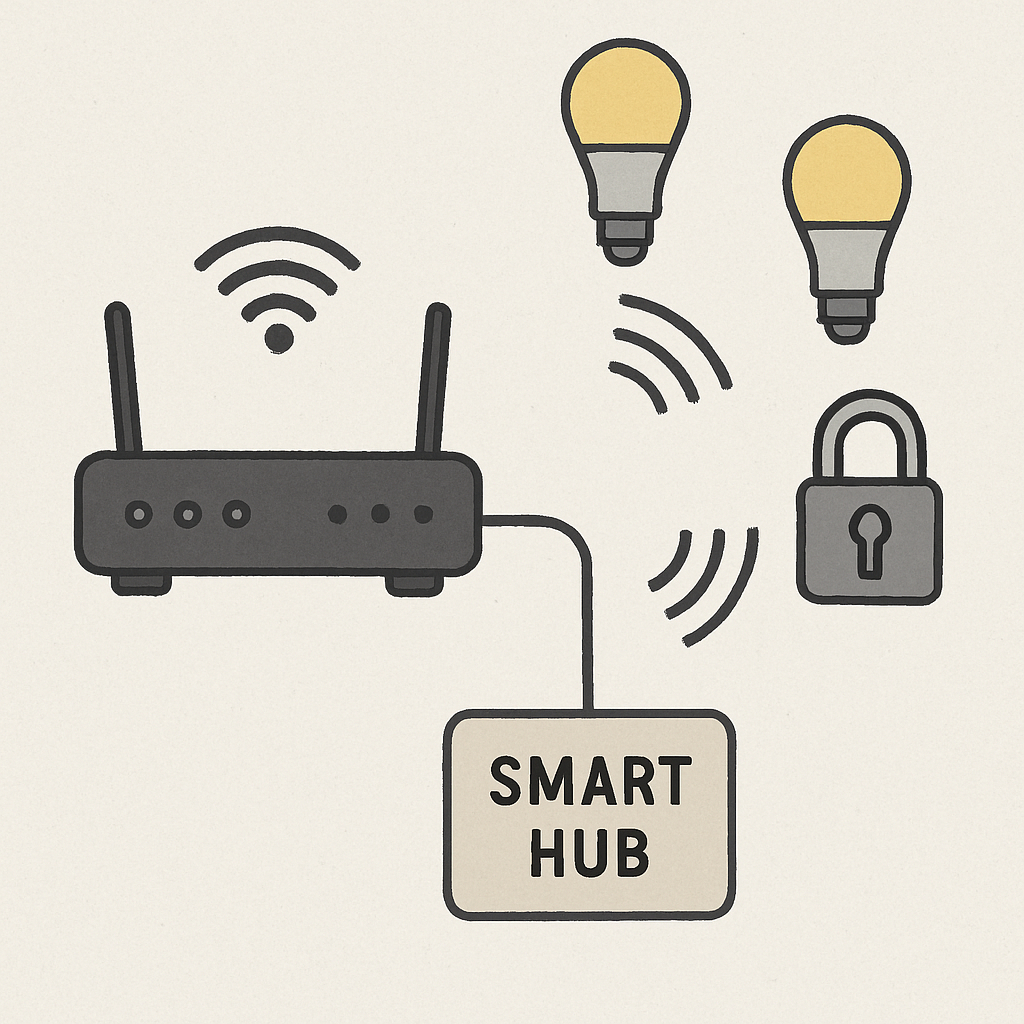
1. A smart home hub enables all of your smart home devices to communicate on a single channel. Your router can then connect to this channel and enable internet connectivity. This prevents all of your devices from yelling for your router’s attention.
2. With a dedicated smart hub, your main wi-fi network is free from interference from smart home devices. This means that when you need bandwidth for video calls, streaming movies, etc., your smart home has a private path through the hub.
3. Many smart home devices require a low-power wireless protocol to save battery life and reduce network congestion. However, many of these devices cannot communicate with each other using your home Wi-Fi network’s native language. This is where the hub comes in. It acts as a translator. For example, the smart lock may use Zigbee to communicate with the hub. Then the hub translates it into a language the Wi-Fi router can understand.
4. As it relates to larger-scale installations, the question becomes: Do I really need one? For small installations with just a few smart plugs, you likely won’t need a hub. However, for large installations with 15-20+ devices, especially including small sensors and lights, a hub-based system will provide much better reliability than a Wi-Fi-only system.
5. Additionally, a hub-based system helps to prevent your main network from becoming overwhelmed with additional load created by the connected devices. This is an important aspect of developing a reliable system.
6. So, why would a device want to use a special language, like Zigbee, instead of communicating directly with my router? There are a couple of advantages that make these languages particularly well-suited for a truly smart home.
Zigbee and Z-Wave: The Secret, Low-Power Languages of Smart Devices
Both Zigbee and Z-Wave have extremely low energy use, which, in practice, can be a huge advantage: they can run on a battery for several years rather than just days. For example, a very small door or temperature sensor using a coin-sized battery and absolutely no other components will likely operate for at least three years. The above is one of the largest trade-offs when evaluating Zigbee/Z-Wave versus Wi-Fi.
- Wi-Fi enables high-speed communication and connects directly to your router. It uses high power for communication.
- Zigbee/Z-Wave use low-power communication and slower speeds. They connect through a hub or gateway which communicates with other Zigbee/Z-Wave connected devices..
In constructing a smart home, there is a simple rule of thumb. When you purchase a battery-operated device such as a motion sensor, water leak detector, or smart button, you should choose a Zigbee- or Z-Wave-compatible model. You will be able to enjoy a “set it and forget it” type of experience, as you do not have to constantly replace dead batteries in your smart home.
While Zigbee and Z-Wave are fundamentally different technologies, when considering Zigbee vs Z-Wave for a smart home, you will find that both provide very similar benefits. However, Zigbee/Z-Wave’s low power design also allows for Zigbee/Z-Wave devices to communicate with each other, providing a more comprehensive smart home experience
The “Bucket Brigade” Power-Up: How Mesh Networks Make Your Smart Home Stronger
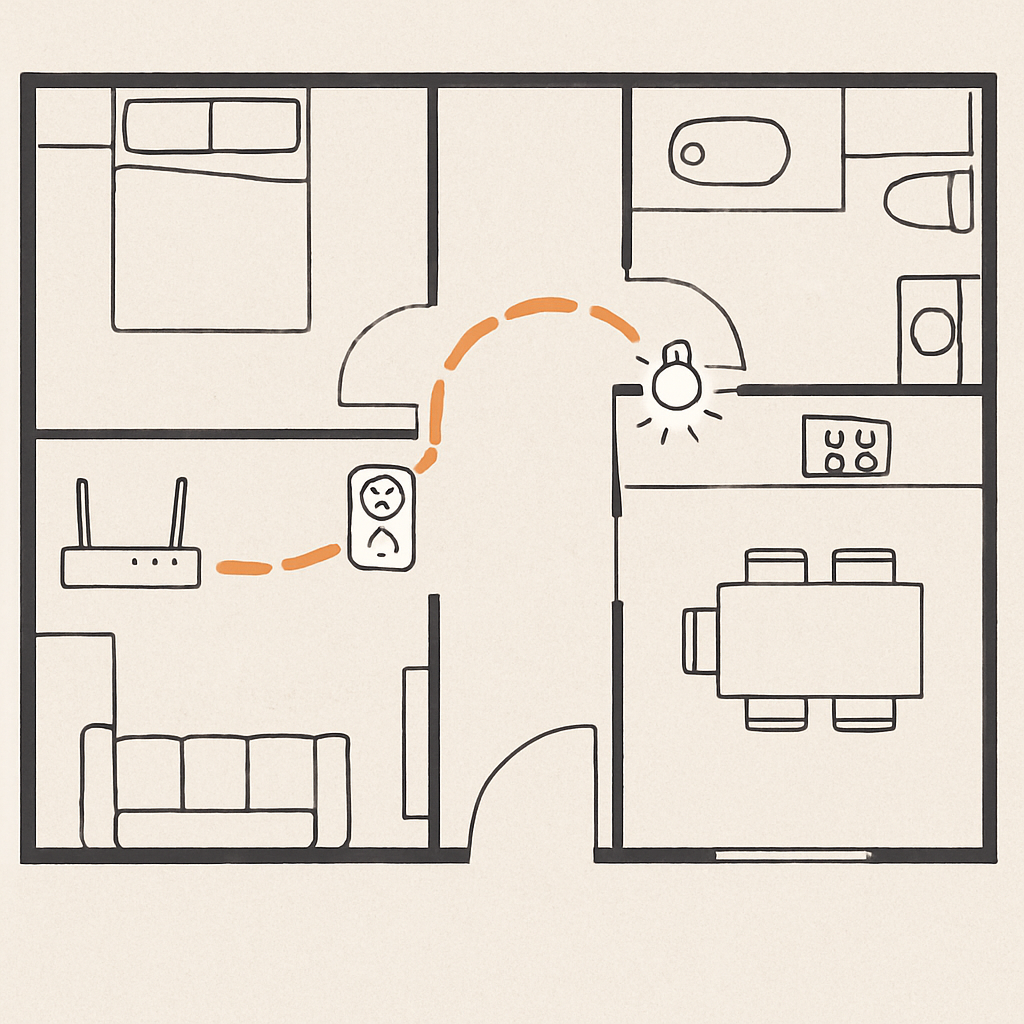
A mesh network creates a powerful collaboration among Zigbee and Z-Wave devices. Consider a smart hub in your living room that wants to send a command to a smart lock on your front door that is outside its range. In a typical situation, the command would fail; instead, the devices could pass it along from one to the next. For example, if there were a number of people in a neighborhood fighting a fire and each person had a bucket of water to help put out the flames, and each person passed the bucket along to the next person, the first person would have been able to deliver the bucket all the way to the end of the line.
That is basically what happens when Zigbee and Z-Wave devices communicate in a mesh network. Each smart device that has power (smart plugs, light bulbs, etc.) acts as a signal repeater. When these devices receive signals, they then send them on to the next device. Therefore, adding more powered devices to your network does not increase network congestion. Instead, you are strengthening your network, allowing it to grow and reach further. Mesh networks provide an excellent way to address connectivity problems in smart homes, turning dead zones into areas with reliable connections.
Mesh vs Hub Network
| Feature | Hub Network | Mesh Network |
|---|---|---|
| Structure | Central hub controls all | Devices relay data |
| Reliability | Single point of failure | Self-healing network |
| Range | Limited | Extended via nodes |
| Scalability | Limited | Highly scalable |
| Performance | Can bottleneck | More stable |
Insight: Mesh networks improve reliability by allowing devices to communicate with one another.
Source:
- Zigbee Alliance
https://csa-iot.org - Z-Wave Alliance
https://www.z-wavealliance.org
For example, if a battery-powered motion sensor installed in your basement was having trouble connecting to the network, you did not necessarily need to move the hub. Installing a smart plug at a reasonable cost between the sensor and the hub created a bridge, relaying the signal back to the sensor and reviving it. As mentioned earlier, the self-reinforcing nature of a mesh network is an important factor to consider when deciding between Zigbee and Z-Wave for a smart home. Once your devices are connected, the next issue to resolve is where the brain controlling them should reside—within your home or on the internet?